The Ultimate Airbnb Host Security Checklist for 2024
Protect your property, guests, and reputation with this practical Airbnb security checklist. No monthly fees, no damage to your walls.

Marcus Reed
Smart Home Security Specialist
Marcus has spent over 8 years testing smart security devices in real rental apartments. He focuses on drill-free setups that anyone can install.
The Ultimate Airbnb Host Security Checklist for 2024
Running a successful Airbnb in Los Angeles means more than great photos and fast Wi-Fi. It means protecting your property between every guest stay, giving travelers peace of mind the moment they arrive, and avoiding the kind of incidents that earn you a one-star review — or worse. Whether you're hosting in Silver Lake, Santa Monica, or the San Fernando Valley, a smart security setup is one of the best investments you can make as a host.
The good news? You don't need to gut-renovate your unit or pay monthly monitoring fees to do it right. Here's the complete checklist every Airbnb host should run through before their next guest checks in.
1. Secure Every Entry Point
Your front door is the first line of defense — and the first impression your guest gets. A traditional key handoff creates unnecessary friction and real security risks: keys get copied, lost, or never returned.
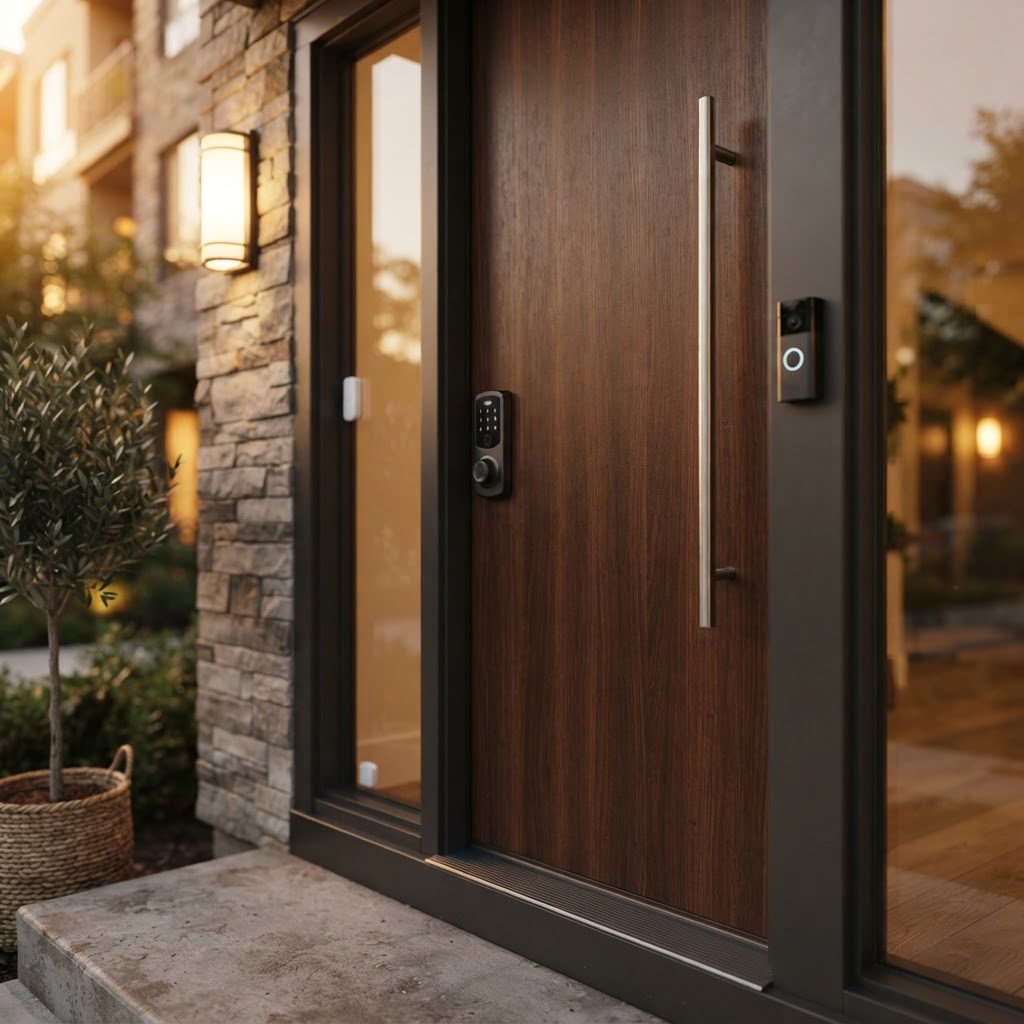
Smart locks solve all of this cleanly. With a keypad or app-based smart lock, you can generate unique access codes for each guest and disable them the moment checkout is complete. No locksmith calls. No awkward key exchanges. No wondering whether a previous guest made a copy.
- Generate unique guest codes per booking
- Remotely lock or unlock from anywhere
- Get real-time access notifications
- No drilling required on most door types
Don't forget secondary entry points. Door and window sensors on side doors, sliding glass doors, and ground-floor windows give you an instant alert if something is opened unexpectedly between stays — or during a stay when it shouldn't be.
Cryptronics advantage: Our smart locks and door/window sensors install without drilling or permanent modifications, making them ideal for hosts who are also renters or manage units they don't own.
2. Add Outdoor Visibility Where It Counts
Guests feel safer when they can see that a property is monitored. A well-placed outdoor camera or video doorbell also protects you from false damage claims and gives you a record of who came and went.
Video doorbells are a must-have for any Airbnb. They let guests see who's at the door without opening it, deter package theft, and give you a visual log of arrivals and departures. Position matters: aim for clear coverage of the front entrance and any parking area if applicable.
For larger properties or homes with multiple outdoor areas, a smart outdoor camera covering the backyard, side gate, or driveway adds another layer of visibility.
- Motion-triggered alerts keep you informed in real time
- Wide-angle lenses cover more with fewer devices
- Night vision ensures 24/7 coverage
- Visible cameras deter unauthorized guests and parties
Important note on privacy: Indoor cameras are prohibited by Airbnb policy inside guest spaces. Keep all cameras strictly at exterior entry points and disclose them fully in your listing. Transparency builds trust — and keeps you compliant.
3. Protect Against Hidden Hazards
Security isn't only about intruders. As a host, you're responsible for your guests' safety inside the property too. A water leak under the kitchen sink or a malfunctioning appliance can turn a great stay into a nightmare — and a costly insurance claim.
Water leak sensors placed under sinks, near water heaters, and beside washing machines give you an immediate alert if moisture is detected. Catching a slow leak before a guest even notices it can save you thousands in water damage.
Smoke detectors are legally required in California rentals, but a smart smoke detector goes further — it sends alerts directly to your phone even when you're not on-site, so you can respond immediately if something goes wrong.
- Water leak sensors: place under sinks, near appliances, beside water heaters
- Smart smoke detectors: required by law, smart versions add remote alerts
- Consider a carbon monoxide detector if you have gas appliances
Cryptronics advantage: All our sensors come with a 2-year warranty and no subscription fees — you get alerts and peace of mind without an ongoing monthly cost.
4. Manage Power and Prevent Electrical Issues
This one often gets overlooked. Guests aren't always careful about overloading outlets, leaving appliances running, or charging multiple devices at once. A smart power strip lets you monitor energy usage remotely and cut power to specific outlets if needed.
This is especially useful for:
- Preventing appliances from running 24/7 between stays (saving on electricity)
- Controlling entertainment setups or lights remotely
- Getting alerts for unusual power draws that might signal a problem
It's a small addition that adds meaningful control over your property even when you're miles away.
5. Build a Turnover Checklist That Works With Your Tech
The best security setup is only as good as the routine behind it. Between every guest stay, run through this quick checklist:
Before each new guest arrives:
- [ ] Generate a new unique door code and test it
- [ ] Check that all door/window sensors are active and showing closed
- [ ] Confirm outdoor cameras are online and have a clear view
- [ ] Test smoke detector and verify battery level
- [ ] Check water leak sensors for any moisture readings
- [ ] Review any motion alerts from the previous stay
After each guest checks out:
- [ ] Disable the previous guest's door code immediately
- [ ] Do a walkthrough while checking your sensor app for anything unusual
- [ ] Review doorbell footage for the checkout time window
- [ ] Reset smart power strips if applicable
Building these steps into your standard turnover process takes less than five minutes and dramatically reduces the chance of something slipping through the cracks.
Why Hosts in LA Trust Cryptronics
Los Angeles hosts deal with unique challenges: high turnover, diverse properties from studios to multi-unit homes, and in many cases, leases that restrict permanent modifications. Cryptronics products are designed with exactly this reality in mind.
- No monthly fees: Pay once, own it. No subscriptions, no recurring costs.
- No-drill installation: Renter-friendly hardware that won't cost you your security deposit.
- 2-year warranty: Every product backed for the long haul.
- 30-day returns: Try it in your property risk-free.
- Local focus: We understand the LA rental and hosting market.
Final Thoughts
A secure Airbnb isn't just about protecting your property — it's about creating an experience guests trust and recommend. The right combination of smart locks, sensors, cameras, and detectors gives you real-time visibility and control without the complexity or cost of traditional security systems.
Start with the entry points, add hazard protection, and build your turnover checklist around your tech. Once it's in place, you'll spend less time worrying and more time focused on delivering five-star stays.