Smart Lock Buying Guide: What Renters Need to Know
Buying a smart lock as a renter takes more than picking a cool gadget. Learn what to look for before you buy.

David Chen
Tech Reviewer & Airbnb Host
David reviews smart home tech and manages short-term rentals. He knows exactly what hosts need to keep guests safe without intrusive setups.
Smart Lock Buying Guide: What Renters Need to Know Before Buying
Smart locks are one of the most impactful upgrades you can make to your home security — but if you're renting, the buying process comes with a unique set of considerations. You can't just drill holes, swap out hardware permanently, or commit to a device your landlord might make you remove next month. The good news? The smart lock market has caught up with renters' needs, and there are excellent options that install without permanent modifications, work without monthly fees, and actually make your life easier.
This guide walks you through everything you need to know before buying a smart lock as a renter — from installation types and compatibility to features that matter most.
1. Understand Your Door Before You Buy Anything
This is the step most buyers skip, and it causes the most headaches. Before researching features, take a close look at your door.
- Deadbolt type: Most smart locks replace or augment a standard single-cylinder deadbolt. If your door has a double-cylinder deadbolt, a rim lock, or a non-standard setup, your options narrow quickly.
- Door thickness: Standard US doors are 1-3/8" to 1-3/4" thick. Check yours — most smart locks specify compatibility.
- Backset measurement: This is the distance from the edge of your door to the center of the lock hole. Common backsets are 2-3/8" or 2-3/4". Get this wrong and the lock won't fit.
- Landlord restrictions: Some leases prohibit replacing hardware. If that's your situation, look specifically for retrofit smart locks that attach to the interior side of your existing deadbolt without replacing the exterior hardware at all.
Taking five minutes to measure and photograph your door saves you from a frustrating return.
2. No-Drill vs. Replacement Smart Locks: Know the Difference
For renters, installation method is arguably more important than any feature. There are two main categories:
Retrofit (No-Drill) Smart Locks These attach to your existing deadbolt's thumb turn on the interior side of the door. Your exterior hardware stays completely unchanged — your landlord won't even know it's there. Installation typically takes under 10 minutes with a screwdriver, and removal leaves zero trace.
Replacement Smart Locks These replace your existing deadbolt entirely. They generally offer more features and a cleaner look, but require saving your original hardware and reinstalling it when you move out. This is manageable, but it's worth confirming your lease allows it.
At Cryptronics, our smart locks are designed with renters in mind — no-drill installation options, no permanent modifications, and no hassle when it's time to move. Every lock comes with a 2-year warranty and a 30-day return window, so you can try it in your actual home without risk.
3. Key Features to Prioritize (and What You Can Skip)
Smart lock feature lists can get overwhelming fast. Here's what actually matters for renters and homeowners in day-to-day use:
Must-Have Features:
- Auto-lock: Automatically locks after a set time. Invaluable for busy households.
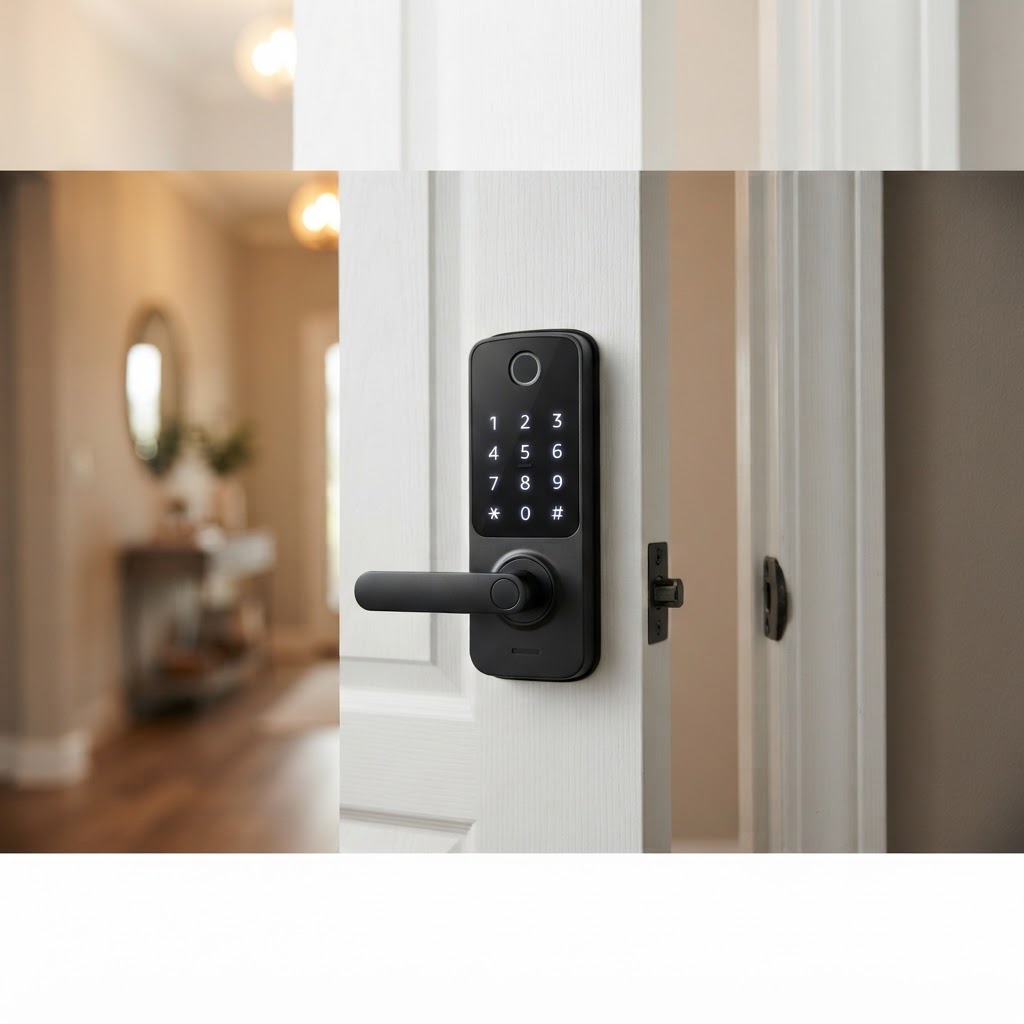
- Multiple access methods: Look for a lock that supports a PIN keypad, a physical key backup, and app control. Relying on only one method is a single point of failure.
- Local operation: The lock should work even when your Wi-Fi is down. Avoid locks that are entirely cloud-dependent.
- Low battery alerts: You don't want to discover a dead battery at midnight.
Great-to-Have Features:
- Temporary access codes: Perfect for Airbnb hosts, dog walkers, or letting in a repair technician. Generate a code that expires automatically.
- Activity log: See a timestamped history of who unlocked the door and when.
- Voice assistant integration: Works with Alexa or Google Home for hands-free locking.
Features You Might Not Need:
- Built-in Wi-Fi: Many affordable smart locks use Bluetooth or Z-Wave and work great. Built-in Wi-Fi adds cost and battery drain.
- Fingerprint readers: Useful, but adds price and complexity. Most renters do fine without it.
4. Think About the Full Entry Experience
A smart lock doesn't exist in isolation — it's part of how you experience arriving at and leaving your home. Consider pairing it with complementary devices for a more complete setup.
A video doorbell lets you see who's at the door before you open it, verify deliveries, and get motion alerts when you're away. Paired with a smart lock, you can verify a visitor and grant access remotely — without being home.
Door and window sensors add another layer by alerting you any time a door is opened, even if the lock isn't the point of entry. If a window gets forced open, you'll know immediately.
Cryptronics offers all three — smart locks, video doorbells, and door/window sensors — designed to work together and install without permanent modifications. No subscription required to access alerts or history.
5. The No-Subscription Question Is Non-Negotiable
Many smart home devices quietly require a monthly or annual subscription to unlock their most useful features — cloud storage, remote access, activity logs, or even basic app functionality. Over two or three years, that adds up to real money.
Before buying any smart lock, ask:
- Does remote access require a subscription?
- Is the activity log gated behind a paid tier?
- What happens to the device if the company shuts down its cloud service?
Cryptronics smart locks include full functionality with no monthly fees — ever. You pay once, you own the features. That's the standard we think every smart home product should meet.
Conclusion: Buy Smart, Not Just Smart-Looking
The best smart lock for a renter is one that installs without drama, works reliably without a subscription, and comes off cleanly when you move. Don't get distracted by flashy features you'll never use — focus on fit, installation method, and core reliability.
Measure your door, confirm your lease terms, and choose a lock that respects both your security needs and your living situation. Pair it with a video doorbell and door sensors for a genuinely layered entry security setup — all without a single monthly fee or a single hole in the wall.
If you're in the Los Angeles area and want hands-on guidance, the Cryptronics team is happy to help you find the right fit for your specific door and living situation.