Smart Lock Buying Guide: What Renters Need to Know
Choosing a smart lock as a renter doesn't have to be complicated. This guide covers everything you need to know before buying — no landlord drama required.

Marcus Reed
Smart Home Security Specialist
Marcus has spent over 8 years testing smart security devices in real rental apartments. He focuses on drill-free setups that anyone can install.
Smart Lock Buying Guide: What Renters Need to Know Before Buying
You've decided it's time to upgrade your front door security. Maybe you're tired of fumbling for keys in the dark, or you want to let a dog walker in without making copies. Whatever the reason, a smart lock is one of the single best security investments you can make — and if you're a renter, you probably have a few extra questions before you pull the trigger.
This guide will walk you through everything: what to look for, what to avoid, and how to find a smart lock that works for your lease, your door, and your lifestyle.
1. Understand Your Lease (and Your Rights)
Before anything else, check your lease. Many renters assume they can't modify their unit at all — but smart locks are often a gray area. Here's what matters:
- Most smart locks replace only the deadbolt cylinder or add a retrofit adapter, meaning your door hardware stays intact and you can restore it before moving out.
- No-drill smart locks sit on the interior side of your existing deadbolt, leaving zero marks on the door. These are ideal for renters who need to stay deposit-safe.
- If your lease prohibits lock changes entirely, a no-drill retrofit lock is your safest bet — it doesn't technically replace your lock, it controls it.
Pro tip: When in doubt, send your landlord a quick message explaining the product. Most landlords are fine with no-drill installs, especially when you promise to restore the original hardware on move-out.
Cryptronics smart locks are specifically designed with renters in mind — no drilling, no permanent modifications, and a clean uninstall when it's time to move.
2. Know the Lock Types
Not all smart locks are built the same. Here's a quick breakdown of the main categories:
Retrofit/Adapter Locks
These clamp onto your existing deadbolt from the inside. Your exterior keyway stays the same — guests and landlords can still use a physical key. You control it via app or keypad from the inside. Best for renters who want zero exterior changes.
Deadbolt Replacement Locks
These replace your existing deadbolt entirely. They typically offer more features — keypads, fingerprint access, app control — but require you to swap hardware. Make sure you keep your original deadbolt in a safe place for move-out day.
Smart Knob/Handle Sets
Less common for renters, these replace the full handle and latch assembly. Higher install complexity — not ideal unless you own the property.
What to look for:
- Works with your existing door prep (most US doors are standard, but check)
- Multiple access methods: app, keypad, physical key backup
- Auto-lock feature for peace of mind
- Low-battery alerts so you're never locked out
3. Connectivity: Wi-Fi, Bluetooth, or Z-Wave?
This one trips people up. Smart locks connect in different ways, and your choice affects convenience, reliability, and whether you need a hub.
- Bluetooth only: Connects directly to your phone when you're nearby. No hub needed, great battery life, but no remote access unless your phone is close.
- Wi-Fi built-in: Full remote access from anywhere. Lock or unlock from your couch or across town. Slightly higher battery drain — look for locks with energy-efficient Wi-Fi chips.
- Z-Wave / Zigbee: Requires a compatible smart home hub. More complex setup, but integrates deeply with broader home automation systems.
For most renters, a Wi-Fi-enabled smart lock offers the best balance — remote access, no hub required, and easy app setup. If you're managing an Airbnb or rental property, remote access is essentially non-negotiable.
4. Features That Actually Matter (and Some That Don't)
Smart lock feature lists can get long fast. Here's an honest breakdown:
Features worth paying for:
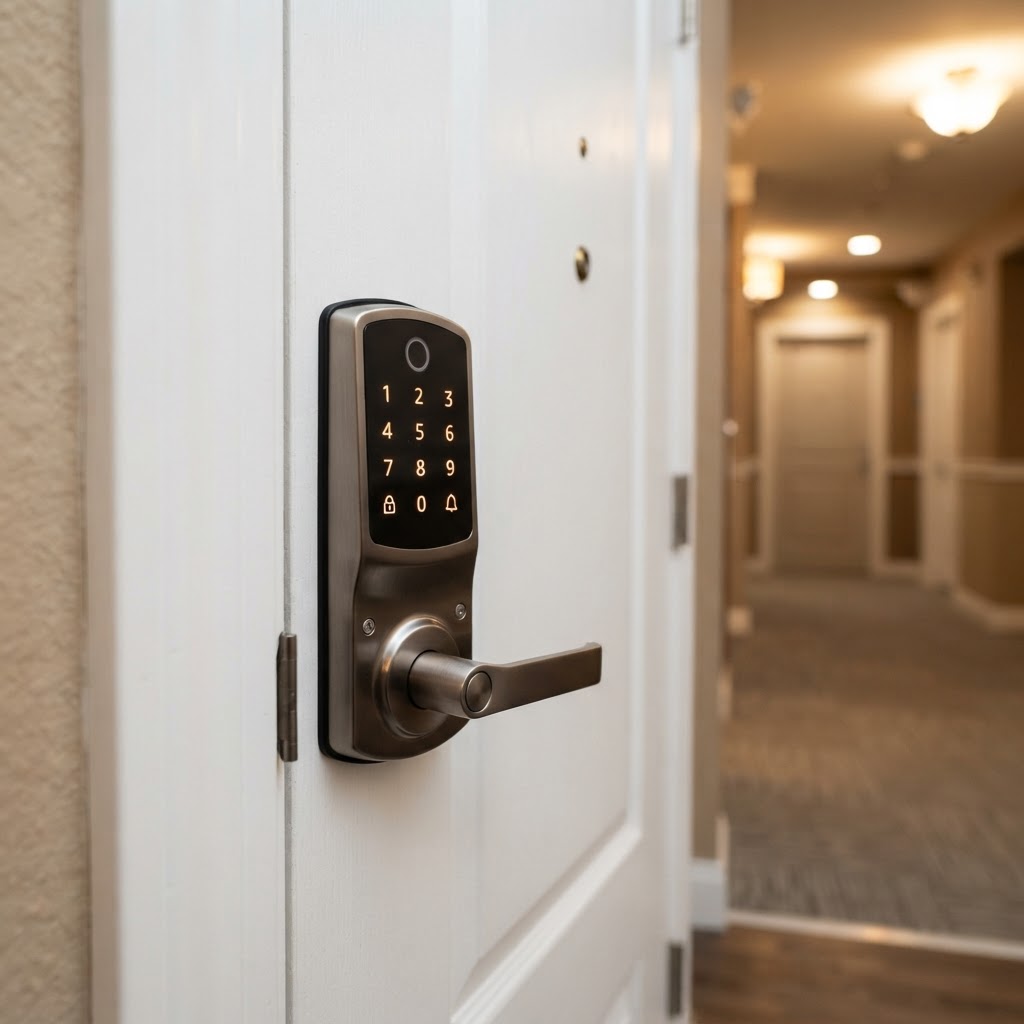
- Keypad / PIN access — essential for guests, cleaners, and Airbnb turnover
- Auto-lock — automatically re-locks after a set time; a genuine safety upgrade
- Access logs — see who came and went, and when
- Temporary access codes — create codes that expire; perfect for Airbnb hosts
- Physical key backup — always keep a keyed entry option in case of battery failure or tech issues
- Low-battery notification — alerts via app before you get stranded
Features you can skip (for most renters):
- Fingerprint readers — convenient, but overkill for most residential use cases
- Built-in cameras — a dedicated video doorbell does this job better
- Voice control integration — nice to have, rarely essential
Speaking of video doorbells — pairing your smart lock with a Cryptronics video doorbell is a smart move. You'll see who's at the door before you unlock it, adding a meaningful layer of security that a lock alone can't provide.
5. What to Ask Before You Buy
Here's a quick pre-purchase checklist every renter should run through:
- [ ] Does it work with my existing door and deadbolt?
- [ ] Is installation no-drill or minimal-modification?
- [ ] Does it require a monthly subscription for basic features?
- [ ] What happens if the battery dies — is there a physical key option?
- [ ] Does the manufacturer offer a warranty and a return window?
- [ ] Can I take it with me when I move?
That last point matters more than people realize. A smart lock is a real investment. You want something portable — not something you have to abandon when your lease ends.
Why renters choose Cryptronics smart locks:
- ✅ No-drill installation — deposit stays intact
- ✅ No monthly subscription fees — pay once, own it
- ✅ 2-year warranty included — real protection
- ✅ 30-day returns — risk-free trial
- ✅ Designed to move with you
Conclusion
Buying a smart lock as a renter is completely doable — you just need to go in with the right information. Focus on no-drill or retrofit options, prioritize Wi-Fi connectivity for remote access, and make sure you're not locked into a subscription model just to use what you already paid for.
A smart lock works best as part of a broader security setup. Pair it with a video doorbell, a couple of door and window sensors, and you've got a solid, renter-friendly security system that you can pack up and take to your next place.
Cryptronics products are built specifically for people who rent, host, and move — because your security shouldn't depend on who owns the walls.