Smart Home Security for Beginners: Where to Start
New to smart home security? This guide walks you through the essential first steps to protect your space — no drilling, no subscriptions, no confusion.

Marcus Reed
Smart Home Security Specialist
Marcus has spent over 8 years testing smart security devices in real rental apartments. He focuses on drill-free setups that anyone can install.
Smart Home Security for Beginners: Where to Start
Setting up a smart home security system can feel overwhelming — especially when you're staring at a wall of tech options and wondering where to even begin. The good news? You don't need to be a tech expert, own your home, or commit to expensive monthly monitoring plans to get meaningful protection. Whether you're renting an apartment in Silver Lake, hosting guests on Airbnb in Santa Monica, or settling into your first home in the San Fernando Valley, a smart, layered approach to security is more accessible than ever.
This guide breaks down the essentials — what to prioritize, what to skip for now, and how to build a system that grows with you.
Start With the Entry Points: Doors and Windows
The most important rule in home security is simple: secure the ways people get in. That means your front door, back door, sliding glass doors, and ground-floor windows should be your first focus.
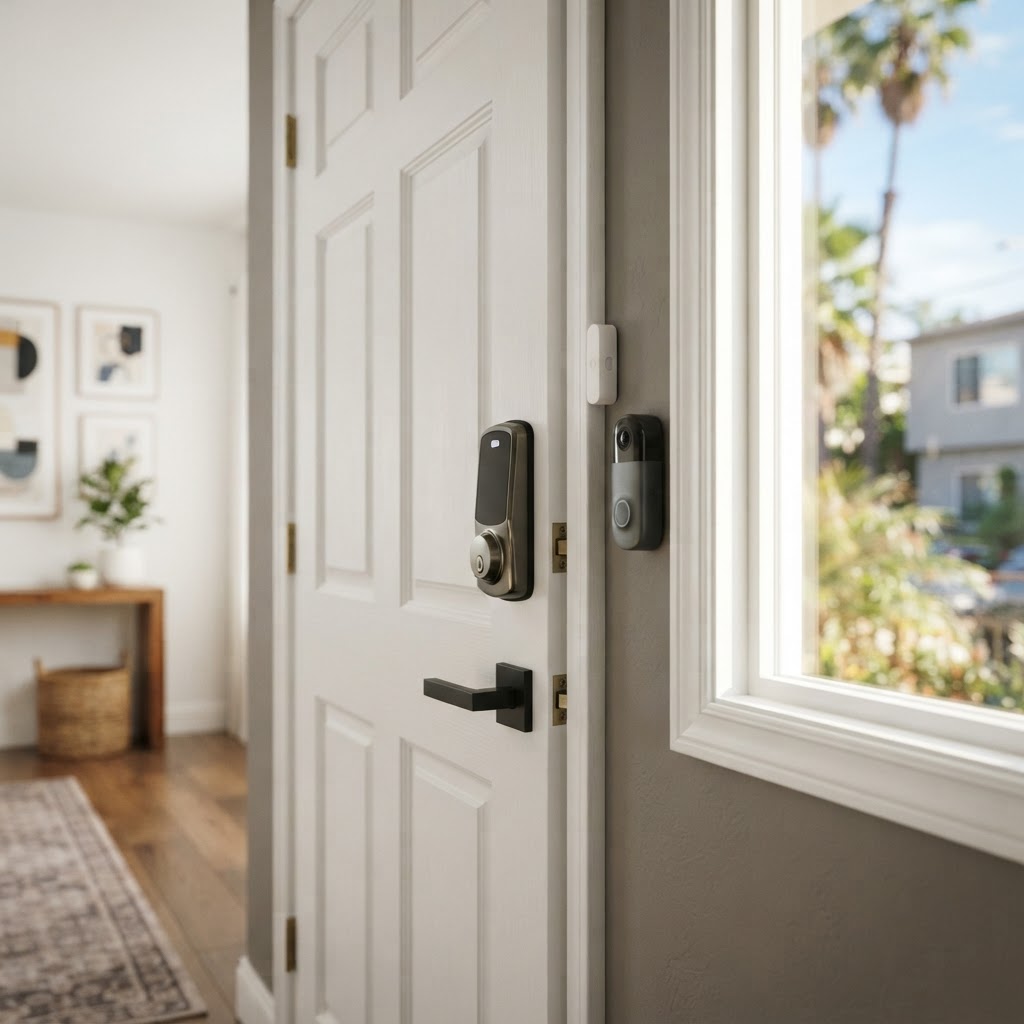
Smart locks are one of the highest-impact upgrades you can make. They eliminate the risks of lost keys, forgotten lockouts, and unauthorized copies. Look for models that install over your existing deadbolt hardware — no drilling required — so they're just as easy to remove when you move out.
- Grant and revoke access remotely from your phone
- Set temporary codes for dog walkers, cleaners, or Airbnb guests
- Get alerts when your door is unlocked or left open
- No locksmith needed if you need to change access
Pair your smart lock with door and window sensors. These small, discreet devices detect when an entry point is opened and send an instant notification to your phone. They're typically adhesive-mounted — completely renter-friendly — and are one of the most affordable pieces of any security setup.
Cryptronics tip: Door/window sensors from Cryptronics install in seconds with no tools, and come with a 2-year warranty and 30-day return policy so there's zero risk in trying them out.
Add Eyes to Your Space: Cameras and Video Doorbells
Once your entry points are monitored electronically, the next step is adding visual coverage. Security cameras serve two purposes: deterrence and documentation. A visible camera often discourages break-in attempts before they happen, and recorded footage is invaluable if something does go wrong.
Video doorbells are the ideal starting point for most beginners. They cover your most-used entry point, let you see and speak to visitors remotely, and provide a log of everyone who approaches your door — whether you're home or not.
For indoor and outdoor coverage, consider a smart security camera with motion detection and night vision. Position one to cover your main entrance, driveway, or parking area. Indoor cameras work well in living rooms or near valuables.
What to look for in a beginner-friendly camera:
- Easy Wi-Fi setup via a smartphone app
- Motion-triggered alerts (not constant recording)
- Wide-angle lens for maximum coverage
- Local or cloud storage options — with no mandatory subscription fees
- Weatherproof rating for outdoor use
Cryptronics cameras are designed to work right out of the box with no ongoing subscription required. You own the footage, not a third-party service.
Don't Overlook Indoor Safety: Smoke and Water Sensors
Security isn't only about intruders. Two of the most common and costly home emergencies are fires and water damage — and both can be detected early with inexpensive smart sensors.
Smart smoke detectors connect to your home's Wi-Fi and send alerts directly to your phone, even when you're away. That's a critical advantage over traditional detectors, which only alert people who are physically present.
Water leak sensors are small devices you place near appliances, under sinks, or next to water heaters. They detect moisture and trigger an immediate alert before a small drip becomes a flooded floor. For renters especially, catching a leak early can be the difference between a minor inconvenience and a major dispute with your landlord.
- Place water sensors under the kitchen sink, bathroom vanity, and near the washing machine
- Smoke detectors should cover bedrooms, hallways, and kitchen areas
- Both integrate easily into a broader smart home ecosystem
These sensors are often the most overlooked parts of a beginner setup — and among the most valuable investments you can make.
Tie It Together: Smart Power and a Simple Hub Strategy
As you add more devices, managing them becomes important. A smart power strip lets you control multiple devices from one app, set schedules, and even cut power remotely. It's useful for managing smart cameras, lamps set on away-from-home schedules, and other connected devices — all contributing to a more seamless, automated security presence.
For beginners, the goal isn't to build a fully automated smart home overnight. Start with a few core devices and expand over time:
- Week 1: Install door/window sensors on main entry points
- Week 2: Add a video doorbell or outdoor camera
- Week 3: Set up a smart lock for keyless, remote-controlled access
- Month 2: Add smoke and water leak sensors throughout the space
This phased approach keeps costs manageable and lets you learn how each device works before adding more complexity.
Why Renters and Airbnb Hosts in LA Should Think About This Now
Los Angeles has unique security considerations — higher density living, frequent tenant turnover in rental buildings, and the growing popularity of short-term rentals all create specific risks worth addressing.
For renters, the challenge is finding security solutions that don't require permanent installation. No-drill, adhesive-based devices mean you can take your entire security setup with you when you move — and get your deposit back.
For Airbnb hosts, smart locks and cameras provide both guest convenience and accountability. You can manage access remotely, monitor entry activity, and ensure your property is protected between bookings without being on-site.
For homeowners, layering smart devices gives you a customizable, expandable system without the cost of a professionally monitored contract.
Why Cryptronics stands out for all three:
- ✅ No monthly fees — ever
- ✅ No-drill installation on all applicable devices
- ✅ 2-year warranty on every product
- ✅ 30-day hassle-free returns
- ✅ Local LA-area focus with products tested for real-world use
Conclusion: Start Small, Stay Protected
You don't need a full-scale system to make a meaningful difference in your home's security. Start with the entry points, add cameras where coverage matters most, and layer in safety sensors over time. The best security setup is one you actually install and use — and with renter-friendly, no-subscription options, there's no reason to wait.
Begin with one device, see how it fits into your routine, and build from there. Your future self — and your peace of mind — will thank you.