Smart Home Security for Beginners: Where to Start
New to smart home security? This guide walks you through the essential first steps to protect your space — no experience, drilling, or monthly fees required.

Marcus Reed
Smart Home Security Specialist
Marcus has spent over 8 years testing smart security devices in real rental apartments. He focuses on drill-free setups that anyone can install.
Smart Home Security for Beginners: Where to Start
Setting up a smart home security system can feel overwhelming — especially when you're staring at a wall of devices, apps, and acronyms you've never seen before. The good news? Getting started is simpler than most people think, and you don't need to be a tech expert, own your home, or sign up for an expensive monitoring contract to build real, reliable protection.
Whether you're renting an apartment in Silver Lake, hosting guests in your Venice Airbnb, or settling into a new home in the San Fernando Valley, this guide breaks down exactly where to begin — and why the order matters.
Step 1: Start With Your Entry Points
The most logical place to begin any security setup is where people actually enter: your front door, back door, and ground-floor windows. These are the highest-risk access points in any home, and securing them first gives you the most immediate return.
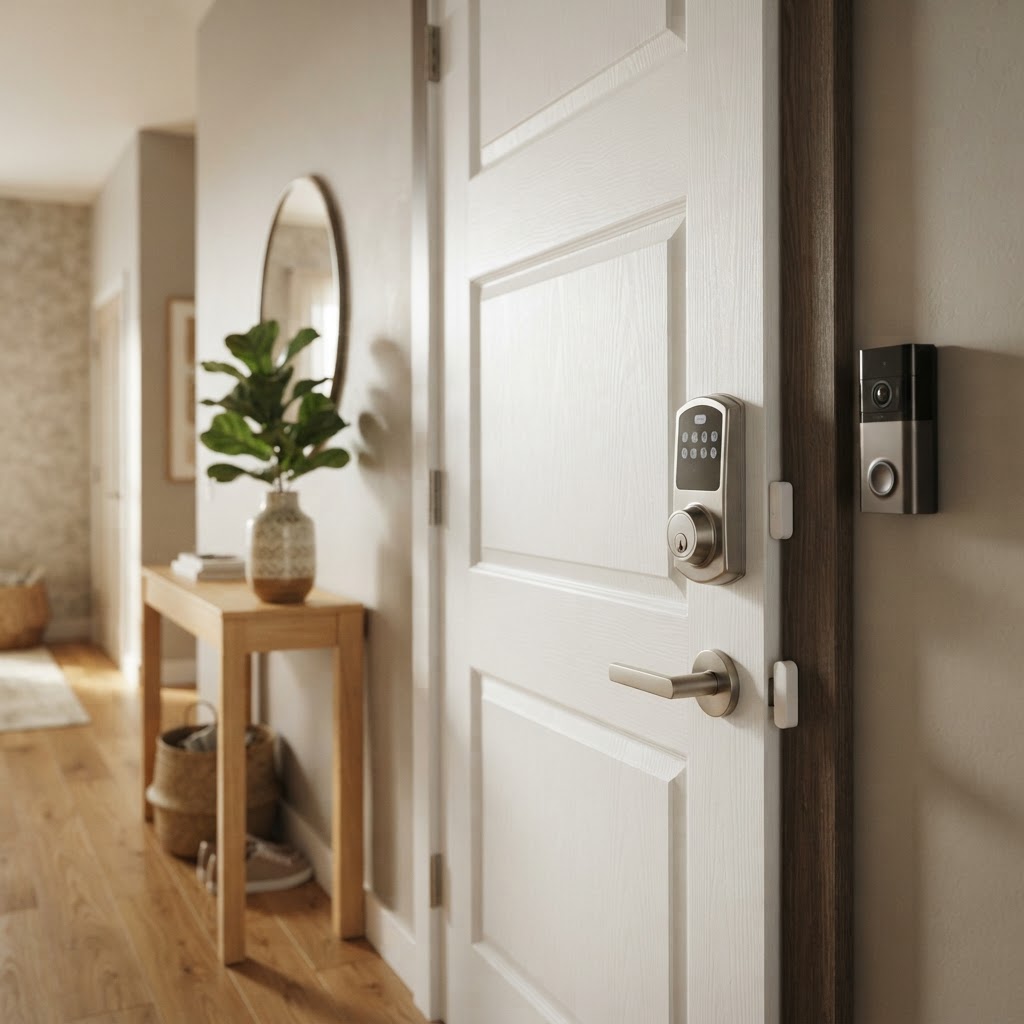
Smart locks are often the single best first investment. A quality smart lock lets you control who has access to your home from your phone, set temporary access codes for guests or service workers, and get instant alerts when your door is locked or unlocked. For renters and Airbnb hosts especially, this eliminates the hassle — and security risk — of physical key handoffs.
Cryptronics smart locks are designed with renters in mind: no drilling required, and installation takes under 15 minutes using your existing deadbolt hardware. They come with a 2-year warranty and no subscription fees — you own the device and all its features outright.
Door and window sensors are the next logical layer. These small, discreet devices alert you the moment a door or window is opened unexpectedly. They're inexpensive, wireless, and — in most cases — attach with adhesive, making them ideal for renters who can't modify walls or frames.
Why start here?
- Entry points account for the majority of break-in attempts
- Locks and sensors work passively — no daily interaction needed
- Setup is fast and reversible for renters
Step 2: Add Visual Deterrence With Cameras
Once your entry points are covered, the next step is visibility. Cameras serve two purposes: they deter potential intruders before anything happens, and they document events if something does.
A video doorbell is an excellent starting point for camera coverage. It covers your most-used entry, gives you two-way audio, and lets you monitor package deliveries and visitor activity — all from your phone. Cryptronics video doorbells require no existing wiring and store footage locally, so there's no cloud subscription required to review your clips.
For broader coverage — a driveway, backyard, or shared hallway — a wireless smart camera mounted near an entry or common area adds meaningful visibility without major installation. Look for wide-angle lenses, night vision, and local storage options so your footage isn't locked behind a paywall.
Practical tips for camera placement:
- Position cameras at eye level or slightly above for clearest facial detail
- Cover the front door, back door, and any garage or side gate
- For apartments, a single well-placed indoor camera near the front entry is often sufficient
Step 3: Don't Overlook Interior Safety Devices
Smart security isn't only about preventing break-ins. Some of the most damaging — and most preventable — home incidents are fires, carbon monoxide exposure, and water leaks. Beginners often skip these devices, but they're among the most valuable additions to any home.
Smart smoke detectors connect to your phone and send alerts even when you're not home, which is critical for Airbnb hosts managing properties remotely or renters who travel frequently. Unlike traditional detectors, a smart smoke detector can tell you which room the alert is coming from.
Water leak sensors are small devices placed under sinks, near water heaters, or beside washing machines. A single slow leak can cause thousands of dollars in damage — and most of it happens undetected. These sensors send an instant alert to your phone the moment moisture is detected.
These aren't glamorous devices, but for hosts and homeowners alike, they're often where the real financial protection lives.
Step 4: Manage Power Intelligently
Once you have cameras, locks, and sensors running, it's worth thinking about how everything is powered and surge-protected. A smart power strip lets you control multiple devices from a single app, schedule on/off times, and protect sensitive electronics from power surges.
For Airbnb hosts, smart power strips can also help manage energy usage between guest stays — turning off non-essential devices automatically when no one is checked in. For homeowners and renters, they add a layer of convenience and extend the life of connected devices.
Step 5: Keep It Simple and Expandable
One of the most common beginner mistakes is trying to automate everything at once. The better approach is to start with a focused core setup — a smart lock, a sensor or two, and one camera — and expand as you get comfortable with how everything works together.
A few principles to guide your approach:
- Buy what you'll actually use. A camera you never check provides false peace of mind.
- Prioritize no-subscription devices. Monthly fees add up fast and can make a simple setup expensive over time.
- Choose devices with strong return policies. Cryptronics offers a 30-day return window on all products, so you can test a device in your actual space without risk.
- Don't over-automate early. Master your entry points before adding complex routines or integrations.
Conclusion: Security That Works for Your Life
Smart home security doesn't need to be complicated, expensive, or require a landlord's permission. Starting with your entry points, layering in cameras, and adding interior safety devices gives you a practical, effective system that grows with your needs.
For renters, homeowners, and Airbnb hosts in Los Angeles, Cryptronics offers a full lineup of renter-friendly devices built for real-world use — no subscriptions, no drilling, no guesswork. Start with one device, build from there, and enjoy the peace of mind that comes from knowing your space is protected on your terms.