Smart Home Security for Beginners: Where to Start
New to smart home security? Learn which devices to install first, how to avoid common mistakes, and why no-drill, no-subscription gear is perfect for renters and new homeowners.

David Chen
Tech Reviewer & Airbnb Host
David reviews smart home tech and manages short-term rentals. He knows exactly what hosts need to keep guests safe without intrusive setups.
Smart Home Security for Beginners: Where to Start
Setting up a smart home security system can feel overwhelming — especially when you're staring down a wall of devices, wondering which ones actually matter and in what order to install them. The good news? You don't need a degree in tech, a hefty monthly subscription, or a landlord's permission to build a genuinely effective security setup. Whether you're renting an apartment in Silver Lake, hosting guests in a Santa Monica Airbnb, or settling into your first home in the Valley, this guide will walk you through exactly where to begin.
Start With the Entry Points: Doors and Windows
Every solid security setup starts at the perimeter — meaning your doors and windows. These are the most common points of entry for break-ins, and they're also the easiest places to protect.
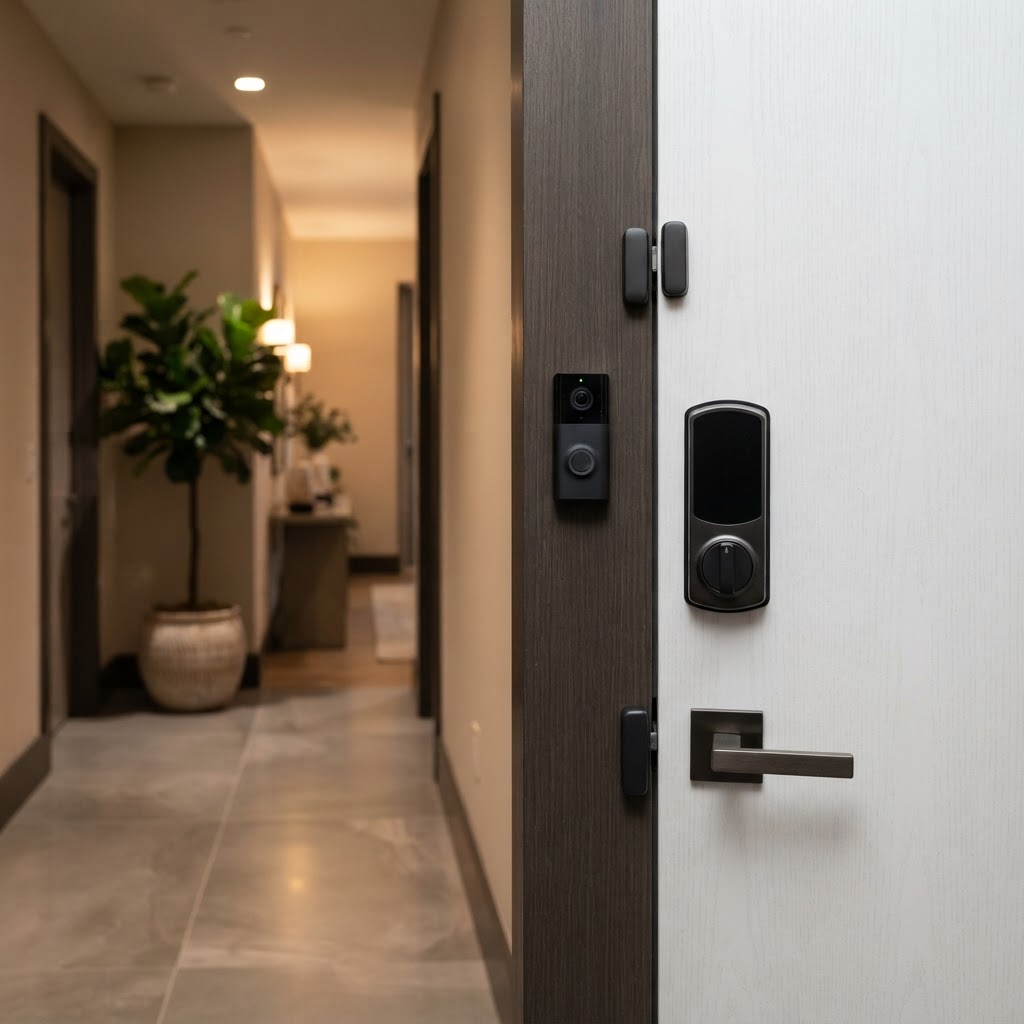
Smart Locks should be your very first purchase. A smart lock lets you control access to your home remotely, set custom entry codes, and get real-time alerts whenever your door is locked or unlocked. For renters especially, the ability to install a smart lock without drilling is a game-changer. Cryptronics smart locks are designed for tool-free installation, so you can upgrade your security without risking your security deposit.
Door and Window Sensors are the next layer. These compact, discreet devices alert you instantly if a door or window is opened unexpectedly — whether you're at work, asleep, or out of town. They're battery-powered, stick on with adhesive, and require zero wiring.
Why this matters:
- Most home intrusions happen through front doors or ground-floor windows
- Instant alerts let you react before a situation escalates
- No-drill, adhesive-mount designs protect your rental deposit
Add Visual Verification: Cameras and Video Doorbells
Once your entry points are covered, the next step is adding eyes to your system. Knowing that a door was opened is useful — knowing who opened it is even better.
Video Doorbells are one of the highest-impact security upgrades you can make. They let you see, hear, and speak to anyone at your door from your phone — whether you're home or halfway across the city. Research consistently shows that visible cameras deter criminal activity before it starts.
Indoor and Outdoor Cameras fill in the gaps your doorbell can't cover: backyards, parking areas, hallways, and common spaces. Cryptronics cameras are designed with renters and hosts in mind — easy to reposition, no professional installation required, and no ongoing subscription fees to access your footage.
Key benefits at a glance:
- Real-time video lets you verify alerts before calling for help
- Two-way audio lets you communicate without opening the door
- Motion-triggered recording keeps storage efficient and relevant
- No monthly fees means your security costs stay predictable
For Airbnb hosts, outdoor cameras and video doorbells are particularly valuable. You can confirm guest arrivals, monitor property access between bookings, and maintain a record of who came and went — all without intruding on guest privacy indoors.
Don't Overlook Environmental Threats
Most beginners focus entirely on intruders — and that's understandable. But statistically, water damage and fire are far more likely to cause serious harm to your home or rental property than a break-in. A well-rounded beginner setup accounts for both.
Smoke Detectors with smart connectivity send alerts to your phone, not just an in-room alarm. If something happens while you're away — a kitchen mishap, an electrical issue — you'll know immediately rather than coming home to a disaster.
Water Leak Sensors are small, inexpensive, and wildly underrated. Place them under sinks, behind toilets, near washing machines, or next to water heaters. A slow leak caught early can save thousands of dollars in water damage — and for renters, it can prevent disputes with landlords over damage you didn't cause.
Why add environmental sensors?
- Water damage is the #1 most common home insurance claim in California
- Smart smoke detectors catch hazards even when you're not home
- These sensors are among the most affordable devices in any security ecosystem
- Early detection protects your belongings, your deposit, and your guests
Power and Control: Tying It All Together
As your setup grows, smart power management becomes surprisingly important. Smart Power Strips let you control multiple devices from one place — cut power to appliances remotely, set schedules, and avoid phantom energy drain from devices left on standby. For Airbnb hosts, a smart power strip can also help ensure devices are reset between guest stays without requiring a manual walkthrough.
Beyond individual devices, think about how your system communicates. Most Cryptronics products are designed to work with standard home Wi-Fi and connect to a single mobile app, so you're not juggling five different platforms. This is a major quality-of-life advantage for beginners.
Building a connected setup:
- Start with a strong, dedicated Wi-Fi network for your devices
- Use one app to monitor everything — alerts, camera feeds, lock status
- Add devices one layer at a time rather than all at once
- Test each device after installation before moving to the next
What to Look for Before You Buy
Before adding any device to your setup, run it through this quick checklist:
- No monthly fees — Your security shouldn't come with a subscription that doubles the cost over time. Cryptronics products have no recurring charges.
- No-drill installation — Essential for renters. Look for adhesive mounts, existing hardware compatibility, and tools-not-required setup.
- Warranty and returns — Smart home tech should come with real buyer protection. Cryptronics includes a 2-year warranty and a 30-day return window on all products.
- Local relevance — If you're in Los Angeles, consider devices that handle heat, outdoor humidity, and the specific architecture of LA rentals and homes.
Conclusion: Build Smart, Build Gradually
The best smart home security system isn't the most expensive one — it's the one you'll actually use. Start at your entry points with a smart lock and door/window sensors, add a video doorbell and camera for visual coverage, then layer in environmental protection with smoke and water leak sensors. Each device you add makes your home meaningfully safer, without requiring a technician, a subscription, or a landlord's blessing.
For renters, homeowners, and Airbnb hosts across Los Angeles, Cryptronics is built around exactly this kind of practical, no-fuss security. No monthly fees. No drilling. No complicated installs. Just smart protection that works from day one.