Keypad vs Fingerprint vs App Smart Locks: How to Choose
Not all smart locks work the same way. Learn which type — keypad, fingerprint, or app-based — fits your lifestyle, rental situation, or Airbnb property.

Priya Sharma
Home Automation Writer
Priya writes practical guides for renters and first-time homeowners. She's obsessed with finding budget-friendly smart home solutions.
Keypad vs. Fingerprint vs. App-Based Smart Locks: How to Choose the Right One
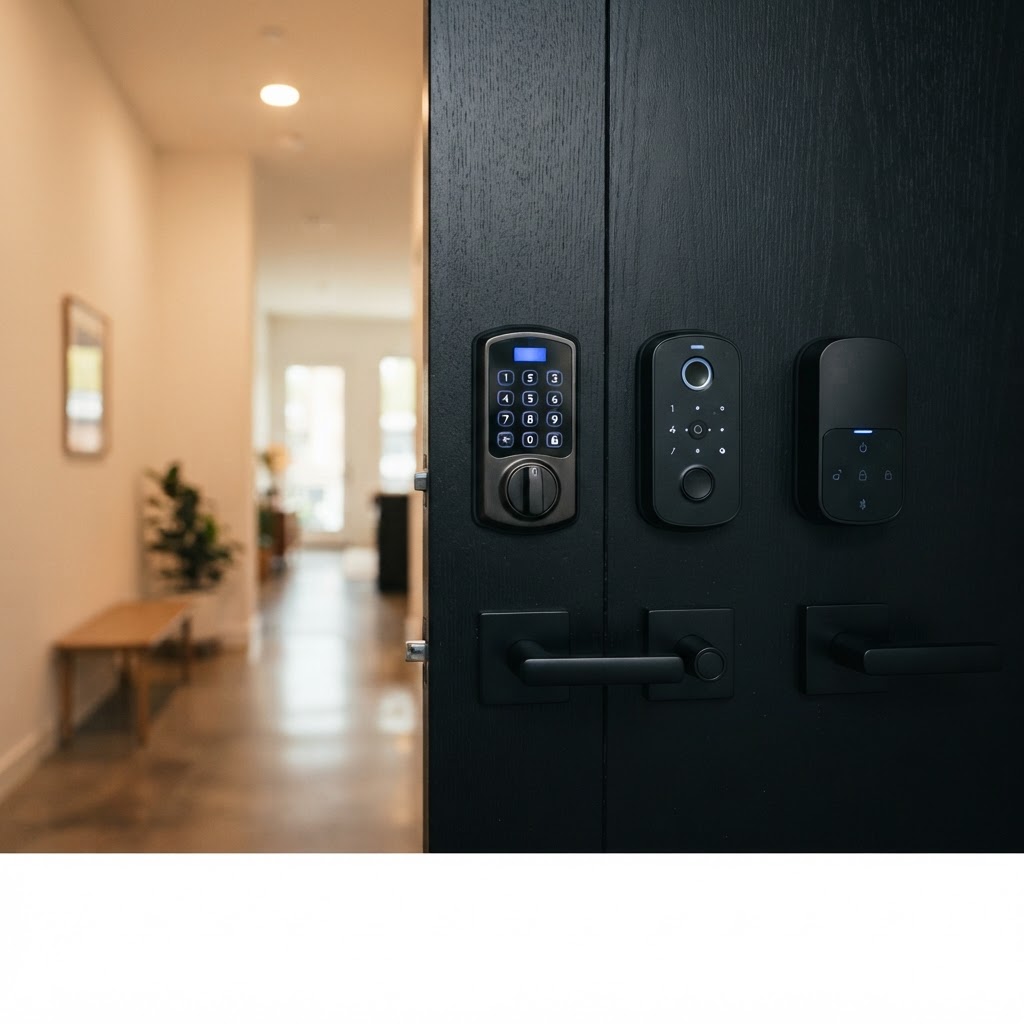
Switching to a smart lock is one of the best security upgrades you can make — whether you're a renter in Silver Lake, a homeowner in the Valley, or an Airbnb host managing a property in Santa Monica. But once you start shopping, you'll quickly realize that "smart lock" isn't a single category. Keypad locks, fingerprint locks, and app-based locks each work differently, and the right choice depends on your daily routine, who needs access, and how much tech you want in your life.
This guide breaks down each type honestly so you can make a decision you'll be happy with for years to come.
What Is a Keypad Smart Lock?
Keypad locks replace your traditional key with a numeric PIN code. You punch in your code, and the door unlocks. It's that simple.
Best for: Renters, families, and anyone who constantly loses their keys.
Key advantages:
- No physical key to lose or copy without your knowledge
- Easy to share access — just give someone a code
- Codes can often be changed instantly if a guest or roommate moves out
- Works even when your phone is dead or out of reach
- Most models run on standard AA batteries with long battery life
Things to consider:
- Codes can be forgotten (though most people pick something memorable)
- Heavy use can wear down certain number keys over time, potentially hinting at your PIN — look for locks that randomize backlit keys
- Less convenient than fingerprint if you have your hands full
For renters especially, keypad locks are a strong first choice. Cryptronics smart locks are designed for no-drill installation, meaning you won't violate your lease or lose your security deposit. They fit over your existing deadbolt hardware, so your landlord won't even notice the difference from the outside.
What Is a Fingerprint Smart Lock?
Fingerprint locks use a biometric scanner to read your unique fingerprint and grant access in under a second. No code, no phone, no key — just your finger.
Best for: Homeowners, tech-savvy renters, and households with kids or elderly family members who struggle with codes.
Key advantages:
- Fastest entry method — ideal when your hands are full of groceries
- Completely keyless and codeless — nothing to forget or share accidentally
- Most models store multiple fingerprints (great for families)
- Extremely difficult to duplicate or guess
- Kids and seniors find it intuitive and easy to use
Things to consider:
- Wet or dirty fingers can occasionally cause read errors
- If you injure your finger, you'll need a backup access method (look for locks with PIN backup)
- Biometric data stays locally on the device — reputable locks never upload your fingerprints to the cloud
Cryptronics fingerprint locks include PIN backup access and come with a 2-year warranty, so if the scanner ever gives you trouble, you're covered. Pair one with a Cryptronics video doorbell to see who's at the door before granting access — a great layered security approach for homeowners.
What Is an App-Based Smart Lock?
App-based locks connect to your smartphone via Bluetooth or Wi-Fi and let you lock or unlock your door remotely, set access schedules, and receive entry notifications.
Best for: Airbnb hosts, property managers, and homeowners who travel frequently.
Key advantages:
- Unlock from anywhere in the world with a Wi-Fi-enabled model
- Issue time-limited access codes or virtual keys to guests — perfect for check-ins
- Receive real-time alerts every time your door is locked or unlocked
- View access logs to see who came and went, and when
- Integrates with smart home ecosystems for automation (e.g., lock the door when you leave)
Things to consider:
- Requires your phone to be charged and nearby for Bluetooth-only models
- Wi-Fi models need a stable home network
- App interfaces vary in quality — look for locks with strong user reviews on the software side
For Airbnb hosts in Los Angeles, app-based locks are genuinely game-changing. You can manage guest check-in and check-out remotely, revoke access the moment a stay ends, and never worry about guests making copies of keys. Cryptronics app-based locks come with no monthly subscription fees — you pay once and own the functionality outright.
Round out your Airbnb security setup with Cryptronics door and window sensors and an indoor camera to monitor common areas, giving your guests peace of mind and protecting your property between bookings.
Side-by-Side Comparison
| Feature | Keypad | Fingerprint | App-Based | |---|---|---|---| | Speed of entry | Fast | Fastest | Moderate | | Remote access | No | No | Yes | | Shareable access | PIN codes | Stored fingerprints | Virtual keys / codes | | Works without phone | Yes | Yes | Bluetooth only: No | | Best for | Renters, families | Homeowners, families | Airbnb hosts, travelers | | Tech required | Minimal | Minimal | Moderate |
How to Choose: 3 Simple Questions
Before you buy, ask yourself:
1. Who needs access to your home? If it's just you and a partner, a fingerprint lock is fast and elegant. If you have guests, cleaners, dog walkers, or Airbnb renters rotating in and out, go app-based so you can manage access remotely without ever cutting a new key.
2. Are you renting or do you own? If you're renting, prioritize a no-drill lock that won't damage your door. Cryptronics smart locks are specifically designed for renters — they install in minutes and uninstall just as easily when you move.
3. How tech-comfortable are you? If you want simplicity, a keypad is reliable and low-maintenance. If you enjoy smart home integrations and want the full picture of who's coming and going, an app-based lock gives you that visibility.
Why Cryptronics Smart Locks?
Whatever type you choose, here's what you get with every Cryptronics smart lock:
- No monthly fees — ever. You own the product, not a subscription.
- No-drill installation — renter-friendly design that won't void your lease.
- 2-year warranty — we stand behind every product we sell.
- 30-day returns — not the right fit? Send it back, no hassle.
- Local LA support — we're based in Los Angeles and understand the specific needs of renters and hosts in this market.
The Bottom Line
There's no universally "best" smart lock — there's only the best one for your situation. Keypad locks offer simplicity and reliability. Fingerprint locks deliver speed and ease. App-based locks give you remote control and access management that's ideal for hosts and frequent travelers.
The good news: any of these is a meaningful upgrade over a traditional key lock, and with Cryptronics' no-subscription, no-drill approach, there's nothing holding you back from making the switch today.