Keypad vs Fingerprint vs App Smart Locks: Which Is Right for You?
Not all smart locks work the same way. Learn how keypad, fingerprint, and app-based locks compare so you can choose the best fit for your home or rental.

Priya Sharma
Home Automation Writer
Priya writes practical guides for renters and first-time homeowners. She's obsessed with finding budget-friendly smart home solutions.
Keypad vs. Fingerprint vs. App-Based Smart Locks: How to Choose the Right One
Switching to a smart lock is one of the smartest security upgrades you can make — whether you're a renter in a Los Angeles apartment, a homeowner tired of hiding spare keys under the mat, or an Airbnb host managing guest turnover. But once you start shopping, you'll quickly discover that "smart lock" isn't a one-size-fits-all category. Keypad locks, fingerprint locks, and app-based locks each work differently, and the right choice depends on your lifestyle, your property type, and how you plan to use it.
Here's a practical, no-nonsense breakdown to help you decide.
What Is a Keypad Smart Lock?
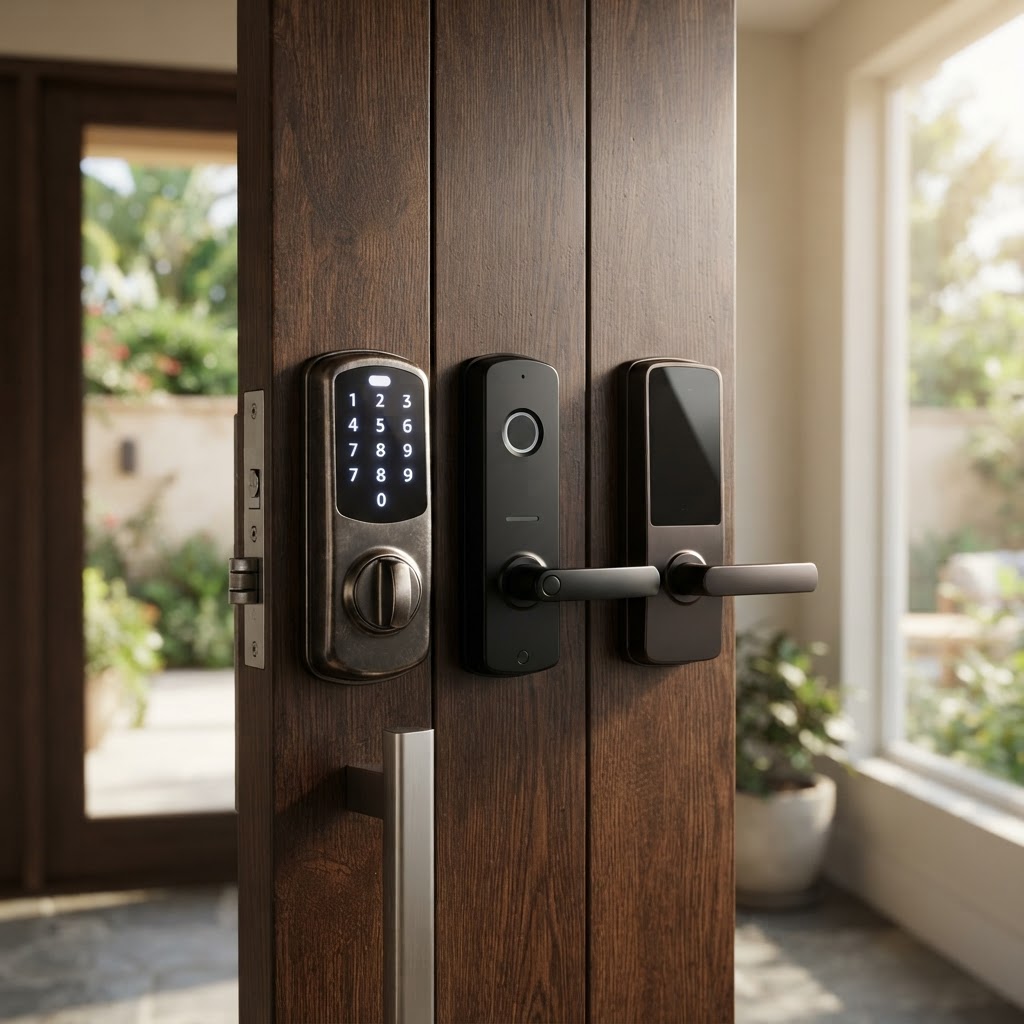
A keypad smart lock replaces your traditional key with a numeric PIN code. You punch in your code, the deadbolt retracts, and you're in. Simple.
Best for:
- Renters who want a straightforward upgrade without a steep learning curve
- Families with kids who lose keys constantly
- Homeowners who want to share access with housekeepers, dog walkers, or contractors without duplicating physical keys
Key advantages:
- No app required — works even if your phone is dead
- Easy to share temporary codes with guests or service workers
- Highly reliable in all weather conditions
- No fingerprint reader means no issues with wet or dirty hands
Things to consider:
- PINs can be forgotten or shared unintentionally
- Keypad wear can sometimes reveal frequently used digits over time — choose a lock that randomizes the keypad layout or use a longer code
Cryptronics keypad smart locks are designed with no-drill installation in mind, making them ideal for renters who can't modify door hardware permanently. Swap out your existing deadbolt, and swap it back before move-out — no damage, no lost deposit.
What Is a Fingerprint Smart Lock?
Fingerprint locks use biometric scanning to identify registered users by their unique fingerprint. No code to remember, no phone to fumble with — just press your finger to the sensor and you're in.
Best for:
- Homeowners and long-term residents who want seamless, hands-free entry
- Households with elderly family members who struggle with codes or apps
- Anyone who wants truly keyless convenience
Key advantages:
- Extremely fast entry — typically unlocks in under a second
- No codes to forget or share accidentally
- Can store multiple fingerprints for all household members
- High resistance to unauthorized entry — fingerprints are much harder to replicate than guessing a PIN
Things to consider:
- Fingerprint sensors can occasionally misread in very cold weather or with heavily calloused fingers
- Not ideal for Airbnb hosts who need to onboard new guests frequently
- Typically slightly higher price point than keypad-only models
For homeowners or long-term renters in the LA area, a fingerprint smart lock from Cryptronics offers a premium daily experience. And with our 2-year warranty, you're covered if any sensor issues arise down the line.
What Is an App-Based Smart Lock?
App-based locks connect to your smartphone via Bluetooth or Wi-Fi and let you lock and unlock your door directly from your phone — and in many cases, from anywhere in the world. Some models also support voice assistants and smart home integrations.
Best for:
- Airbnb hosts who need remote access control and guest management
- Tech-forward homeowners who want their lock integrated into a broader smart home setup
- Property managers overseeing multiple units
Key advantages:
- Grant or revoke access remotely without being on-site
- Receive real-time notifications when your door is locked or unlocked
- Set time-limited access windows — perfect for Airbnb check-in and check-out
- Pair with other devices like video doorbells and door/window sensors for a layered security system
Things to consider:
- Requires a charged phone and a reliable Bluetooth or Wi-Fi connection
- If your phone dies or the app has an issue, you'll want a backup entry method (look for models with keypad backup)
- Initial app setup takes a few extra minutes compared to a keypad-only model
Cryptronics app-based smart locks carry no monthly subscription fees — a significant advantage over systems that charge ongoing cloud fees just to access your own lock remotely. Pair one with our video doorbell to see and speak with whoever's at your door before you ever unlock it.
Which Lock Type Is Right for Your Situation?
Still not sure? Use this quick guide:
| Situation | Recommended Lock Type | |---|---| | Renter in an LA apartment | Keypad (no-drill, easy reversal) | | Homeowner, daily personal use | Fingerprint or App-Based | | Airbnb host managing guest access | App-Based with keypad backup | | Shared household with kids | Keypad or Fingerprint | | Elderly family members living alone | Fingerprint (simplest daily use) | | Property manager, multiple units | App-Based |
Many of Cryptronics' smart locks combine two or more of these methods — for example, a lock with both a fingerprint reader and a keypad backup gives you biometric convenience without the risk of being locked out if the sensor has an off day.
Why Pair Your Smart Lock with Other Security Devices?
A smart lock is a strong first line of defense, but security works best in layers. Here's how Cryptronics customers in Los Angeles commonly build out their setups:
- Video doorbell — See who's at your door before unlocking, and log a video record of every entry
- Door and window sensors — Get instant alerts if a door or window is opened unexpectedly
- Smart cameras — Monitor entryways, hallways, or driveways 24/7
- Smoke detectors and water leak sensors — Protect against non-intrusion emergencies that can be just as costly
All Cryptronics devices are designed to work together without requiring a hub, a monthly plan, or a professional installer.
Final Thoughts
Choosing between a keypad, fingerprint, and app-based smart lock comes down to one question: how do you actually use your front door every day? Renters benefit most from simple, reversible keypad models. Homeowners wanting daily convenience will love fingerprint access. And Airbnb hosts or anyone needing remote control should prioritize app-based functionality — ideally with a keypad backup.
Cryptronics smart locks are built for real people with real living situations — no subscriptions, no permanent installation damage, and a 30-day return window if it's not the right fit. Shop our smart lock collection and find the one that fits your door, your lifestyle, and your peace of mind.