Keypad vs Fingerprint vs App Smart Locks: How to Choose
Not all smart locks work the same way. Learn which lock type fits your lifestyle, rental situation, or Airbnb property best.

Marcus Reed
Smart Home Security Specialist
Marcus has spent over 8 years testing smart security devices in real rental apartments. He focuses on drill-free setups that anyone can install.
Keypad vs. Fingerprint vs. App-Based Smart Locks: How to Choose the Right One
Switching to a smart lock is one of the most impactful upgrades you can make to your home security — but walk into any hardware store or browse online, and you'll quickly realize there's no single "best" smart lock. There are three main types: keypad, fingerprint, and app-based. Each has real strengths depending on who you are, how you live, and how often your door gets used.
Whether you're a renter in a Los Angeles apartment, a homeowner upgrading your front door, or an Airbnb host managing guest turnover, this guide will help you make a confident, informed decision.
Understanding the Three Smart Lock Types
Before comparing them, here's a plain-English breakdown of how each type works:
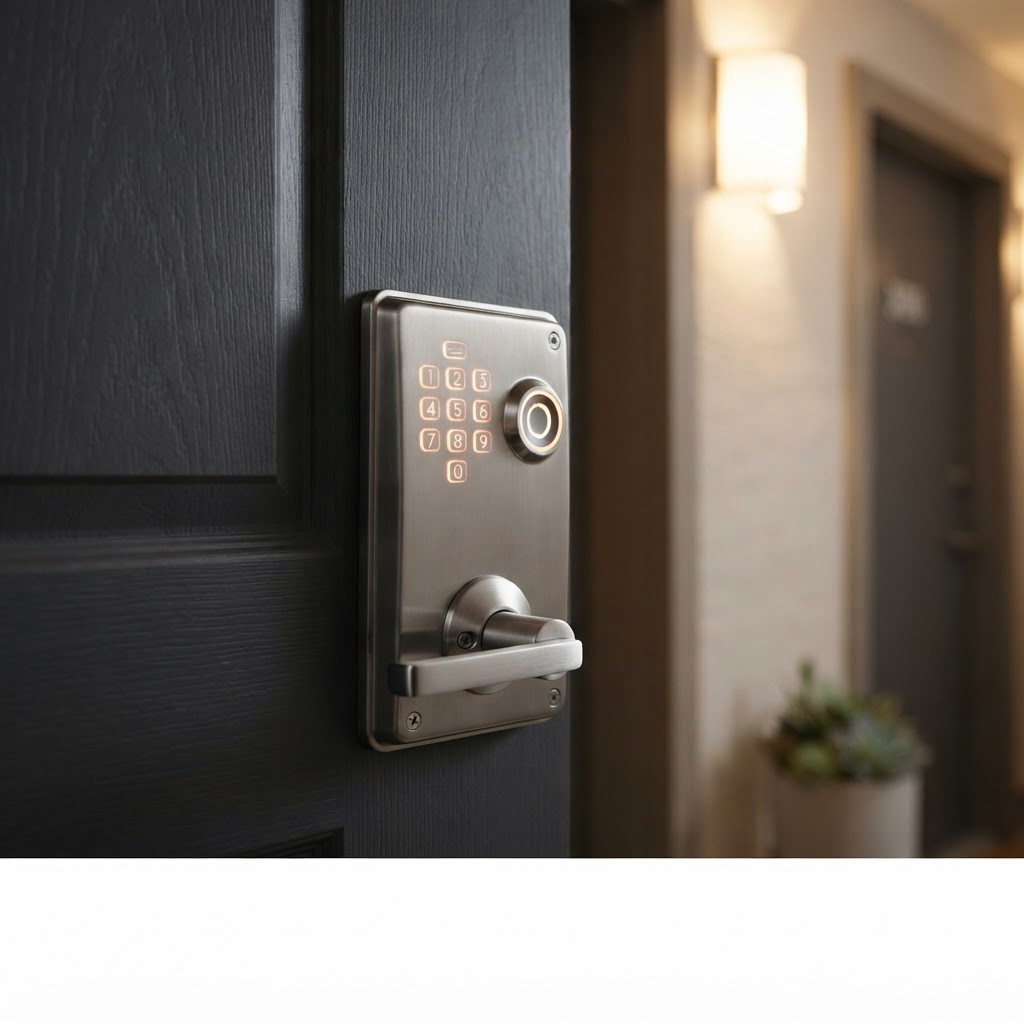
- Keypad locks use a numeric PIN code to unlock. You punch in your code, the lock turns, the door opens. Simple.
- Fingerprint locks use a biometric scanner to read your fingerprint and grant access. No code to remember, no phone required.
- App-based locks connect to your smartphone via Bluetooth or Wi-Fi. You unlock with a tap, a voice command, or an auto-unlock feature as you approach.
Many modern smart locks — including those in the Cryptronics lineup — combine two or more of these methods into a single device, giving you flexibility without compromising security.
Keypad Locks: Reliable, Renter-Friendly, and Foolproof
Keypad locks are the most universally practical option. They require no app, no Wi-Fi, and no fingerprint enrollment. If you can remember a 4–8 digit PIN, you're set.
Best for:
- Renters who want simple, no-fuss security without relying on a phone
- Families with kids who tend to lose physical keys
- Anyone who frequently has guests, housekeepers, or service providers entering their home
Key benefits:
- Create multiple unique PIN codes for different people
- Delete codes instantly when access is no longer needed — no key to retrieve
- Works even when your phone battery dies or Wi-Fi goes down
- No monthly subscription required
Cryptronics keypad smart locks are designed with no-drill installation in mind, making them ideal for LA renters who can't make permanent modifications. You won't lose your security deposit, and you can take the lock with you when you move.
Why Cryptronics: Our keypad locks come with a 2-year warranty and 30-day returns, so you can commit with confidence.
Fingerprint Locks: Fast, Hands-Free, and Highly Secure
Fingerprint locks offer the most frictionless entry experience. Touch the scanner, the door unlocks in under a second. There's no code to forget and nothing to carry.
Best for:
- Homeowners who want premium, seamless daily use
- Tech-forward users who value speed and biometric security
- Properties with a small, consistent set of trusted users
Key benefits:
- Biometric data is stored locally on the device — not in the cloud
- Extremely difficult to duplicate or "guess" compared to PIN codes
- Most fingerprint locks also include a keypad or app backup for guests or emergencies
- Great for households where everyone's hands are often full (groceries, bags, kids)
One consideration: Fingerprint scanners can occasionally misread fingers that are wet, dirty, or have certain skin conditions. That's why Cryptronics recommends fingerprint locks with at least one backup access method — and all our models include exactly that.
Why Cryptronics: No subscription fees, ever. Your fingerprint data stays on your device, not on a server.
App-Based Locks: Maximum Control, Ideal for Airbnb Hosts
App-based smart locks are the most feature-rich option. You control everything from your smartphone — remotely lock or unlock, set access schedules, and receive real-time activity alerts.
Best for:
- Airbnb and short-term rental hosts managing guest turnover
- Homeowners who want remote access and monitoring
- Anyone integrating into a broader smart home setup
Key benefits:
- Grant and revoke guest access instantly from anywhere
- Set time-limited access windows — perfect for Airbnb check-in/check-out times
- Receive push notifications every time the door is locked or unlocked
- Pairs seamlessly with Cryptronics video doorbells and door/window sensors for a complete entry security system
For Airbnb hosts in Los Angeles, app-based locks solve a persistent headache: coordinating key handoffs with guests across different time zones, late arrivals, and last-minute bookings. Set a guest's unique access window, and the lock handles the rest.
Why Cryptronics: Our app-based locks require no monthly subscription. You pay once and get full remote access features for life — no recurring fees eating into your rental income.
Side-by-Side Comparison: Which Lock Type Fits You?
| Feature | Keypad | Fingerprint | App-Based | |---|---|---|---| | No phone needed | ✅ | ✅ | ❌ (has backup) | | Remote access | ❌ | ❌ | ✅ | | Guest access management | ✅ Good | ⚠️ Limited | ✅ Excellent | | Biometric security | ❌ | ✅ | ❌ | | Works without Wi-Fi | ✅ | ✅ | ⚠️ Bluetooth only | | Best for Airbnb | ⚠️ Decent | ❌ | ✅ | | Best for renters | ✅ | ✅ | ✅ | | No-drill install | ✅ | ✅ | ✅ |
Pairing Your Smart Lock with a Complete Security System
A smart lock secures your entry point — but a truly layered security setup goes further. Consider pairing your lock with:
- Video doorbell — See and speak with anyone at your door before unlocking, whether you're home or across town
- Door/window sensors — Get instant alerts if a door or window is opened unexpectedly
- Smart cameras — Monitor your entryway, hallways, or common areas with no monthly cloud storage fees
- Smart power strips — Protect your devices and automate lighting to simulate occupancy when you're away
All Cryptronics products are designed to work together out of the box, with no proprietary hub required and no subscriptions to manage.
Conclusion
There's no universally "best" smart lock — the right choice depends on your situation. Keypad locks are the most reliable all-around option for renters and families. Fingerprint locks deliver speed and biometric security for homeowners who want premium daily use. App-based locks are the clear winner for Airbnb hosts and anyone who needs remote access and granular control.
The good news: most smart locks today combine all three methods. And with Cryptronics' no-drill installation, no monthly fees, 2-year warranty, and 30-day return policy, you can upgrade your security without risk — whether you own your home or rent it.
Your front door is the first line of defense. Make it a smart one.