Build a Complete Smart Security Kit for Under $200
You don't need a big budget or a long-term contract to secure your home. Here's how to build a complete smart security setup for under $200.

Elena Torres
Security Systems Consultant
Elena advises property owners on practical security upgrades. She specializes in no-contract, self-monitored systems for apartments and homes.
Build a Complete Smart Security Kit for Under $200
Smart home security has a reputation for being expensive — monthly monitoring fees, professional installation costs, and gear that locks you into a single ecosystem. But the truth is, you can build a genuinely effective, renter-friendly security setup for under $200, with no subscriptions, no drilling, and no compromise on quality.
Whether you're renting an apartment in Silver Lake, hosting guests through Airbnb in Santa Monica, or settling into your first home in the San Fernando Valley, this guide will walk you through exactly how to prioritize, layer, and build a smart security kit that fits your space and your budget.
Start With the Basics: Understand Your Vulnerabilities
Before you spend a single dollar, take five minutes to walk around your space and think like someone who shouldn't be there. Ask yourself:
- How many entry points does my space have? Front door, back door, sliding patio door, ground-floor windows?
- Is my front door visible from the street, or is it tucked away?
- Am I renting? If so, you'll want gear that installs without permanent modification.
- Do I have shared spaces or common areas to consider?
This quick audit will help you spend your budget where it matters most — coverage at entry points first, then interior monitoring, then environmental sensors.
Layer 1: Secure Your Entry Points ($80–$100)
The front door is where most break-ins happen, and it's where your budget should go first.
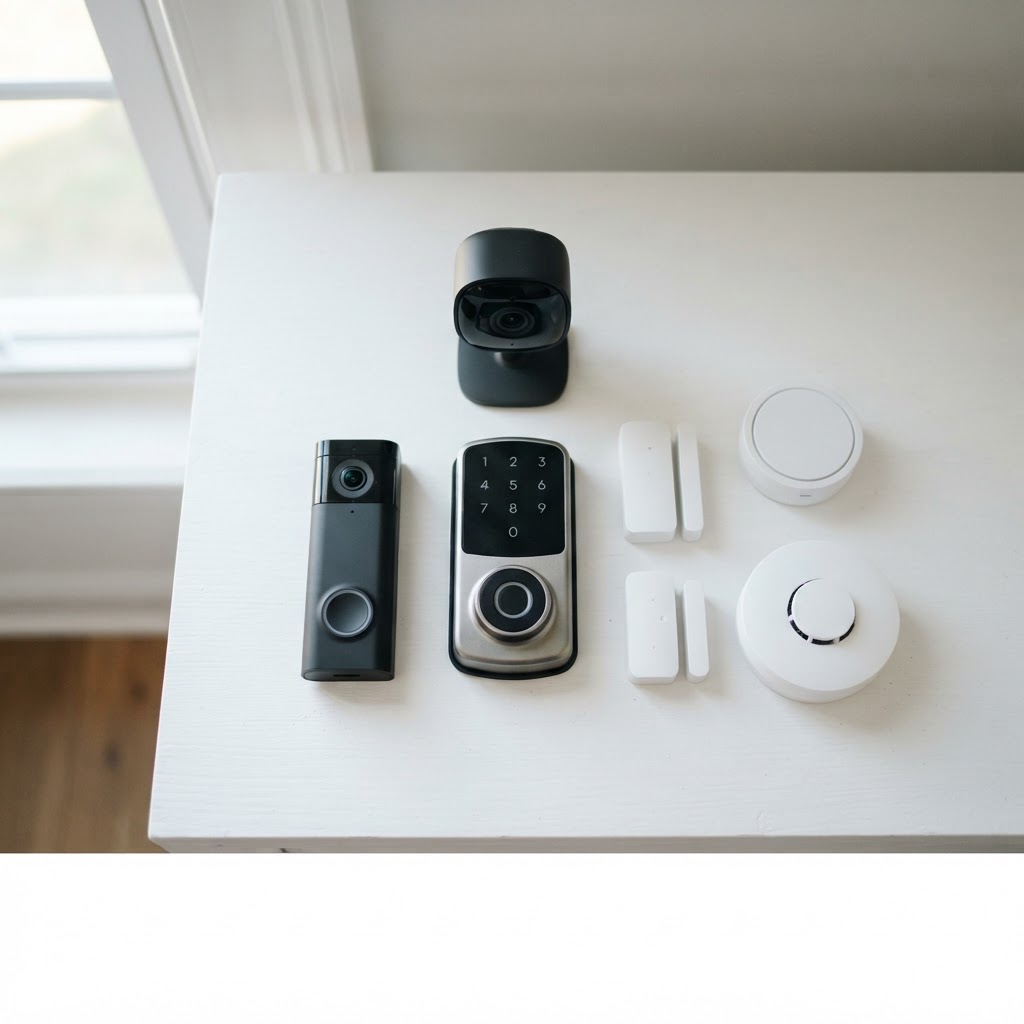
Video Doorbell — A video doorbell is your first line of awareness. You'll see who's approaching before they knock, get motion alerts on your phone, and have recorded evidence if anything goes wrong. Look for models with night vision and wide-angle lenses. Cryptronics' video doorbell installs in minutes with no wiring changes and stores footage locally — no cloud subscription required.
Smart Lock — A smart lock lets you control access remotely, create temporary codes for guests or service workers, and eliminate the risk of lost keys. For renters, keypad smart locks that fit over your existing deadbolt hardware are ideal — they install without drilling and remove cleanly when you move out.
Why Cryptronics: Our smart locks are designed specifically for renters. No permanent installation, no leftover holes in your door, and a 2-year warranty so you're covered if anything goes wrong.
Door & Window Sensors — These small magnetic sensors alert you the moment a door or window is opened. Place them on your front door, back door, and any accessible windows. They're discreet, battery-powered, and typically cost under $15 each. A pack of four covers most apartments comfortably.
Estimated Layer 1 Cost: $80–$100
Layer 2: Add Visual Coverage ($50–$70)
Once your entry points are covered, add a camera to give you eyes on the space.
Indoor Security Camera — An indoor camera placed near your main living area or facing your front door from inside adds a critical visual layer. If a sensor triggers, you can check the live feed immediately from your phone. Features to prioritize:
- Motion-triggered recording
- Two-way audio
- Local storage (SD card) so you're not paying monthly for cloud access
- Wide field of view (110°+)
For Airbnb hosts, an outdoor or entryway-facing camera (disclosed to guests, as required) also builds trust and deters misuse of your property.
Why Cryptronics: All our cameras support local SD card storage with no monthly fees. What you see stays yours — no subscription needed to access your own footage.
Estimated Layer 2 Cost: $50–$70
Layer 3: Environmental Protection ($25–$40)
Security isn't just about intruders. Some of the most costly home incidents are water leaks, fires, and carbon monoxide exposure — and sensors for these are surprisingly affordable.
Water Leak Sensor — Place one under your sink, near your washing machine, or beside your water heater. A small leak caught early can save thousands in damage. These sensors are especially valuable in older Los Angeles apartment buildings where plumbing issues are common.
Smoke Detector — A smart smoke detector connects to your phone and sends alerts even when you're not home. Unlike standard detectors, you'll know about a problem before a neighbor has to call you.
These aren't glamorous additions to your kit, but they offer some of the best protection-per-dollar of anything on this list.
Estimated Layer 3 Cost: $25–$40
Bonus: Smart Power Strip (~$25)
If you have a little room left in your budget, a smart power strip is a practical addition. It lets you:
- Cut power to devices remotely (useful if you forgot to turn something off before a trip)
- Protect electronics from power surges
- Set schedules to make your home look occupied while you're away
For Airbnb hosts, it's also a simple way to manage energy costs between guest stays.
Putting It All Together: Sample $200 Kit
Here's a realistic breakdown of a complete kit at or under $200:
| Device | Estimated Cost | |---|---| | Video Doorbell | $45 | | Smart Lock (renter-friendly) | $55 | | Door/Window Sensors (4-pack) | $35 | | Indoor Security Camera | $40 | | Water Leak Sensor | $15 | | Smart Smoke Detector | $20 | | Total | ~$210 |
Mix and match based on your space. A studio apartment might skip the extra window sensors. A two-bedroom with a patio might prioritize an outdoor camera over the smart power strip. The point is that a complete, layered system is within reach.
What to Look for When Buying
Before you commit to any smart security product, check for these essentials:
- No monthly subscription fees — Your security shouldn't cost you every month just to function.
- No-drill or renter-friendly installation — Especially important if you're renting or hosting on Airbnb.
- Local storage options — SD card or on-device storage means your footage stays private.
- A real warranty — A 2-year warranty signals a product built to last.
- A return policy — 30 days minimum gives you time to test everything in your actual space.
Why Cryptronics: Every product we sell meets all five of these criteria. We built our catalog specifically for Los Angeles renters, homeowners, and short-term hosts who want real protection without recurring costs or complicated installs.
Conclusion
Building a smart security system doesn't require a big budget, a long-term contract, or a landlord's permission. With a clear-eyed look at your entry points and a layered approach, you can put together a complete, reliable setup for under $200 that covers access control, visual monitoring, and environmental protection.
Start with what matters most — your front door — and build outward from there. Your home, your guests, and your peace of mind are worth it.