Build a Complete Smart Security Kit for Under $200
You don't need a big budget or a subscription to secure your home. Here's how to build a complete smart security setup for under $200.

Elena Torres
Security Systems Consultant
Elena advises property owners on practical security upgrades. She specializes in no-contract, self-monitored systems for apartments and homes.
Build a Complete Smart Security Kit for Under $200
Smart home security has a reputation for being expensive — monthly monitoring fees, professional installation costs, and proprietary ecosystems that lock you in for years. But that reputation is outdated. Today, renters, homeowners, and Airbnb hosts in Los Angeles can build a genuinely capable security setup for under $200, with no drilling, no subscriptions, and no compromises on quality.
This guide walks you through exactly how to do it — layer by layer — so every dollar you spend is working hard to protect your space.
Why a Layered Security Approach Matters
The most effective home security isn't a single expensive device — it's a system of overlapping layers. Think of it like a series of checkpoints: an intruder or hazard has to get past multiple alerts before causing real harm.
A solid layered approach covers:
- Entry points — doors, windows, and locks
- Visual deterrence and evidence — cameras and video doorbells
- Environmental hazards — smoke, CO, and water leaks
- Power and device protection — smart power management
The good news? You can cover all four layers without breaking the bank.
Layer 1: Secure Your Entry Points (~$60–$80)
Your front door is the first thing any intruder targets — and for Airbnb hosts, it's also the guest's first impression. A smart lock is one of the highest-value security investments you can make.
Cryptronics smart locks are designed for renter-friendly, no-drill installation, meaning you won't lose your security deposit swapping out hardware. They support keypad and app-based access, so you can give temporary codes to guests, dog walkers, or maintenance workers — and revoke them instantly.
What to look for in a smart lock:
- No permanent modifications required
- Temporary access codes for guests or service providers
- Auto-lock functionality
- Battery backup so a power outage never leaves you stranded
Pair your smart lock with door and window sensors. These small, adhesive devices alert your phone the moment a door or window is opened unexpectedly. At roughly $10–$15 per sensor, protecting your three most vulnerable entry points costs very little and adds an immediate notification layer.
Cryptronics advantage: No monthly fees, no hub required for basic operation, and a 2-year warranty on all sensors and locks.
Layer 2: Add Visual Deterrence and Evidence (~$50–$70)
Visible cameras are one of the strongest deterrents against break-ins. Studies consistently show that properties with visible security cameras are far less likely to be targeted.
For under $200 total, you have room for either a video doorbell or an indoor/outdoor smart camera — and if you shop smart, possibly both.
Video doorbells are ideal for:
- Renters and Airbnb hosts who want to monitor front-door activity
- Package theft prevention (a growing issue across LA neighborhoods)
- Remote guest check-in verification
Smart cameras are better for:
- Monitoring interior spaces, parking areas, or back entrances
- Airbnb hosts keeping an eye on common areas between bookings
- Homeowners with larger properties
Cryptronics cameras store footage locally — no cloud subscription required. You own your footage, and there are no recurring costs eating into your budget every month.
Key camera features worth prioritizing:
- 1080p or higher resolution
- Night vision
- Motion-triggered alerts
- Local storage option
Layer 3: Protect Against Environmental Hazards (~$30–$40)
Most people think about intruders when they think about home security. But statistically, water damage and fires cause far more financial loss to renters and homeowners than burglary.
Two affordable devices close this gap completely:
Smoke and CO detectors are non-negotiable. Cryptronics smart smoke detectors go beyond a standard alarm — they send real-time alerts to your phone, so you know immediately if something's wrong even when you're not home. For Airbnb hosts, this is also a platform requirement.
Water leak sensors are underrated heroes of home security. Place one under your sink, near your washing machine, or beside your water heater. At roughly $15–$20 each, they can save you thousands in damage — and potentially your entire security deposit if you're renting.
- Instant phone alerts at first sign of moisture
- Adhesive backing — no installation needed
- Works independently, no hub required
Cryptronics advantage: All environmental sensors come with a 30-day return policy, so you can test them in your space risk-free.
Layer 4: Smart Power Protection (~$20–$30)
This layer is often overlooked, but it's a smart finishing touch for any security kit. A smart power strip lets you control and monitor plugged-in devices remotely, set schedules to simulate occupancy (lights turning on and off while you're away), and protect electronics from power surges.
For Airbnb hosts, smart power strips also let you cut power to specific outlets between bookings — a simple way to manage energy costs and device usage.
Putting It All Together: Sample $200 Kit
Here's how a realistic budget breakdown looks:
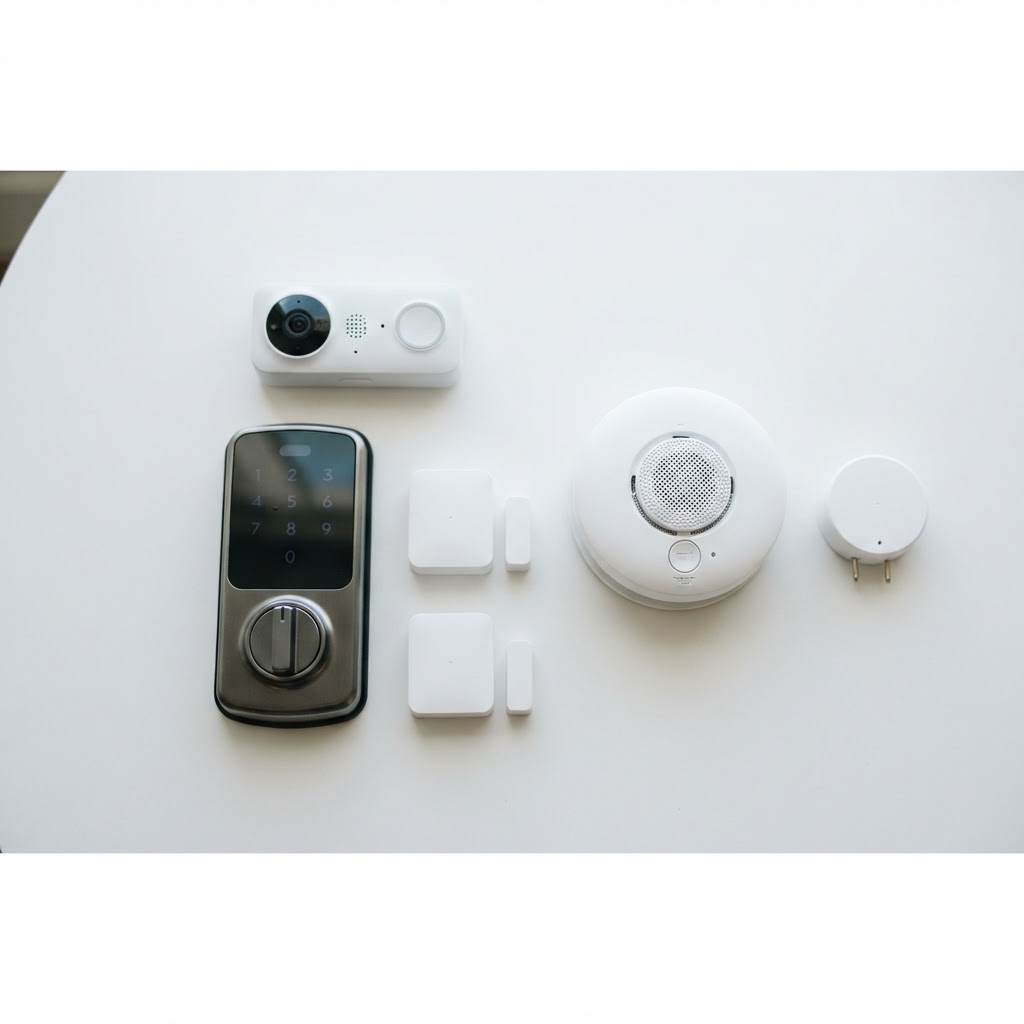
| Device | Estimated Cost | |---|---| | Smart Lock | $65 | | Door/Window Sensors (x3) | $40 | | Video Doorbell | $55 | | Smart Smoke Detector | $25 | | Water Leak Sensor | $18 | | Total | ~$203 |
Swap the video doorbell for a smart camera and you land comfortably under $200. Mix and match based on your specific space and priorities.
Final Thoughts
Building a capable smart security system doesn't require a big budget, a long-term contract, or a landlord's permission. With the right devices — chosen strategically — you can cover every meaningful vulnerability in your home for under $200.
The key principles:
- Layer your protection across entry points, visibility, hazards, and power
- Avoid subscriptions — your security shouldn't come with a monthly bill
- Choose renter-friendly hardware that installs without damage and moves with you
Cryptronics products are built around exactly these principles: no fees, no drills, no lock-in. Whether you're renting in Silver Lake, hosting guests in Venice, or owning a home in the Valley — a smarter, safer space is well within reach.