Automate Your Home Security Routine with Smart Power Strips
Smart power strips do more than manage outlets — they can anchor your entire home security routine. Learn how to automate smarter with no monthly fees.

David Chen
Tech Reviewer & Airbnb Host
David reviews smart home tech and manages short-term rentals. He knows exactly what hosts need to keep guests safe without intrusive setups.
Automate Your Home Security Routine with Smart Power Strips
When most people think about home security, they picture cameras, locks, and sensors. Smart power strips rarely make the list — but they should. These underrated devices can serve as the quiet backbone of a fully automated security routine, helping your cameras stay powered, your lights behave intelligently, and your entire system run without lifting a finger.
Whether you're a renter in a Los Angeles apartment, a homeowner in the suburbs, or an Airbnb host managing a property remotely, a smart power strip can transform how your security setup operates — with zero monthly fees and no complicated installation.
What Makes a Smart Power Strip a Security Tool?
A standard power strip just distributes electricity. A smart power strip gives you individual control over each outlet — remotely, on a schedule, or triggered by other smart devices. That distinction matters more than you might expect when it comes to security.
Here's how a smart power strip pulls its weight in a home security setup:
- Keep cameras and routers on a reliable power schedule — Automatically reboot your router or security cameras at set times to prevent connectivity drops.
- Control lighting to simulate occupancy — Program lamps to turn on and off at realistic times when you're away, deterring opportunistic break-ins.
- Cut power to non-essential devices remotely — If you're an Airbnb host and a guest checks out, you can remotely disable certain outlets until the next booking.
- Reduce phantom load — Keeping only security-critical devices powered protects your setup from power surges and unnecessary wear.
- Integrate with your broader smart home ecosystem — Pair with smart sensors and cameras to trigger lighting or device changes based on motion or entry events.
Cryptronics smart power strips are designed specifically for this kind of intentional, security-first use — with individual outlet control, surge protection, and app-based scheduling built in.
Building an Automated Security Routine: Step by Step
Automation doesn't have to be complicated. The goal is to create a routine that runs itself, so your home is protected whether you remember to arm it or not.
Step 1: Anchor Your Cameras and Router to a Smart Outlet
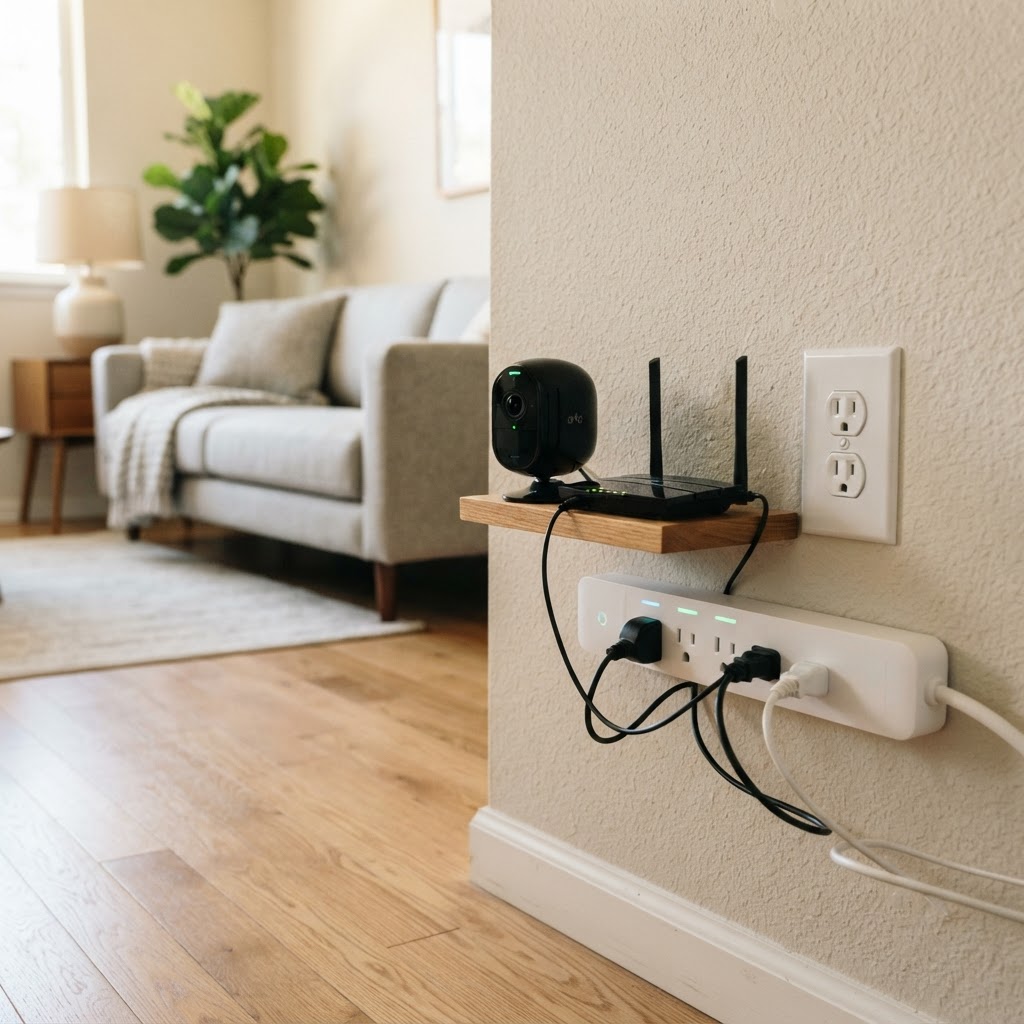
Your security cameras and Wi-Fi router are the nervous system of your smart home. Plug them into a dedicated outlet on your Cryptronics smart power strip and set a nightly reboot schedule — say, 3:00 AM — to keep connections fresh. If a camera goes offline due to a software hang, the scheduled power cycle brings it back without any action on your part.
Step 2: Program Occupancy Lighting
Plug two or three lamps into your smart power strip and set randomized on/off schedules for evenings. Unlike a basic timer, smart scheduling lets you vary the routine day by day — making it harder for anyone watching the property to identify a pattern. This works especially well paired with a Cryptronics video doorbell, which can alert you to anyone loitering near your entrance.
Step 3: Sync With Your Door and Window Sensors
Cryptronics door and window sensors can trigger automations when entry points are opened. Link these events to your smart power strip so that, for example, a hallway lamp turns on immediately when a door opens after dark. It's a simple layer of deterrence and visibility that costs nothing extra once your devices are connected.
Step 4: Set a "Leaving Home" Outlet Shutdown
Create a single-tap or scheduled routine that powers down non-essential outlets the moment you leave — entertainment systems, kitchen appliances, charging stations. This reduces fire risk and makes it immediately obvious (via your app) if something is drawing power that shouldn't be. Pair this with your Cryptronics smart lock so that locking the door automatically triggers the shutdown routine.
Step 5: Protect Against Power Surges
LA's older housing stock is notorious for electrical inconsistencies. A smart power strip with built-in surge protection acts as a first line of defense for your cameras, smart lock hubs, and sensors. If a surge is detected, the strip can cut power and send you an alert — protecting your equipment and your data.
Why Smart Power Strips Work So Well for Renters and Airbnb Hosts
One of the biggest challenges for renters is that traditional security upgrades often require drilling, hardwiring, or landlord approval. Smart power strips solve this completely — they plug in, require no installation whatsoever, and leave zero trace when you move out.
For Airbnb hosts, the remote management capability is a game-changer:
- Disable non-essential outlets between guest stays without visiting the property
- Keep your Cryptronics cameras and video doorbell consistently online with automated power cycles
- Monitor power draw remotely to spot anything unusual during a stay
- Quickly restore full outlet access when a new guest checks in
For renters, the benefits are just as compelling:
- No-drill, no-damage setup that satisfies any lease agreement
- Easy to pack up and take with you when you move
- Works alongside other renter-friendly Cryptronics devices like adhesive-mount cameras and no-drill smart locks
Pairing Your Smart Power Strip With the Right Devices
A smart power strip is most powerful when it's part of a connected ecosystem. Here's a quick reference for building a complementary setup:
| Device | Role in Your Security Routine | |---|---| | Smart Power Strip | Controls power schedules, surge protection, remote shutoff | | Video Doorbell | Monitors entry points, alerts on motion | | Door/Window Sensors | Triggers lighting and alerts on entry | | Smart Lock | Automates locking routines, syncs with outlet shutdowns | | Indoor Camera | Provides visual confirmation of alerts | | Smoke Detector | Life-safety layer, integrates with smart alerts | | Water Leak Sensor | Protects against property damage, pairs with outlet control |
All Cryptronics devices are designed to work together without requiring a paid hub subscription or third-party bridge — keeping your setup clean, affordable, and genuinely useful.
The Cryptronics Difference
Before you buy any smart security device, it's worth asking: what happens when the company stops supporting the app? With subscription-based platforms, your devices can become paperweights overnight.
With Cryptronics, there's no monthly fee — ever. Your smart power strip works as long as you need it, with:
- No subscription required for any feature
- No-drill installation across the product line
- 2-year warranty on all devices
- 30-day returns — no questions asked
- Local focus on Los Angeles renters, homeowners, and hosts
Conclusion
A smart power strip might not be the first thing that comes to mind when you're building a home security routine — but it might be the most practical starting point. It powers your critical devices reliably, automates your environment intelligently, and costs nothing to operate month after month.
Pair it with Cryptronics cameras, sensors, and smart locks, and you have a complete, renter-friendly security system that runs itself. No subscriptions. No drilling. No compromises.